—    —  Home

   jamesprimate on April 23, 2015, 06:59:49 AM:

yep, totally! we've been using this symbol here for shelters and it seems to work pretty well: https://i.imgur.com/nfNl8bW.png

there was a suggestion that it just look like a regular shortcut until you discover the shelter inside, but eh seems fussy. if we want to do something like that we can just put a small room in between so it still takes a little more effort to discover from a main room or something.


   jamesprimate on April 23, 2015, 07:30:56 AM:

ah yeah those are just the paths that connect to the other regions. not connected yet because we havent implemented the region swapping or gates. so many things to do  Cry


   JLJac on April 23, 2015, 08:49:17 AM:

Oh that's really cool! :D I'm definitely on board with "Acid Anime"

Just wanted to say I'm sorry about the lack of updates - I've been doing level editor level editor level editor for almost a week. The next big thing is to start to stitch the regions together, but before moving from one huge technical project to the next I think I need to take a break and maybe implement a creature, so there should be a bit more updates for a while now  Hand Thumbs Up Right

On the subject of maps - we don't really know! After the world has been put together we will be able to start playing the game *as it's meant to to be played* for the first time, and then the question on whether or not a map is needed will most likely be given a clear and definite answer.

James makes the worlds, and thus probably have a very different experience playing them from anyone else. I however can give some testimony of what it's like when I first get a region and get to play it in its current state, without a map.

The first thing you notice is that the regions are large and complex. But generally you don't get a proper perspective of how large and complex right off the bat. Because of some psychological mechanism I tend to take the same routes and gravitate towards the same areas, and it takes many playthroughs before I start discovering the peripheral rooms. On this last region I spent my first hour or so believing that I was exploring the region, just to a bit later find an unexplored passage and realize that I had in fact only been exploring a small more accessible fraction - the bulk of the region I still hadn't seen.

When it comes to finding your way and creating an internal map, it's both easier and harder than perhaps expected. I definitely don't have a clear memory of what the entire regions look like and what connects where, and because of the disconnected nature of the rooms it seems really hard to build a map like that in your mind. It's all pretty jumbled up in my head. However, some of the more routinely traversed routes get etched in. If you have a somewhere you know you want to go and you've gone that route before, it's this weird thing where you couldn't draw a map of all the rooms to get there, but as you enter each room you sort of instinctively know what exit to take next. How that scales into seven hundred freaking rooms is up for question though.

It would certainly be more true to the atmosphere to not have a map, that's for sure. But, playability trumps. Another version of a map that could perhaps work while keeping a bit of the mystery is something that's basically just a bread crumb trail - it marks the exits you came from so you can at least reliably find your way back. If you backtrack a few rooms the trail would be erased, and when you go into some side corridor the trail would branch in that direction instead. Just an idea! This particular implementation would probably be pretty redundant though, as I think most peoples' brains have a really good memory for "that's where I originally came from" when viewing a room.

A variation on the same theme would be an actual path finder that shows the way to either the shelter you emerged from or the closest shelter. That would however introduce the player to new routes and shortcuts that they might not have discovered by themselves, which feels a little cheap.


   jamesprimate on April 23, 2015, 11:45:19 AM:

What I mean is that instead of giving The player artificial bread crumbs, maybe you could give him natural, almost literal ones? Something he could change or add to the world that would give him directions and persist between cycles.

Edit: Also, for easier navigation I suggest giving a bit of a gradient to each region, instead of a single color. So the garbage region could have green-ish, gray-ish and brown-ish zones - without clear borders, but with background color serving as an approximation of your position.

these are both goooooood ideas. spears already CAN function as markers that persist between cycles, so perhaps something that makes a spear more visible as a marker. we can do the second one super easy just with the color effects layer as we have it already.  Hand Thumbs Up Right Hand Thumbs Up Right


   jamesprimate on April 23, 2015, 10:33:16 PM:

So I found real life rain world water:

https://gfycat.com/UnderstatedWateryFreshwatereel


WOW thats spot on... and disgusting  Huh?


   JLJac on April 24, 2015, 08:35:38 AM:

Ewwwww >___<

Update 417

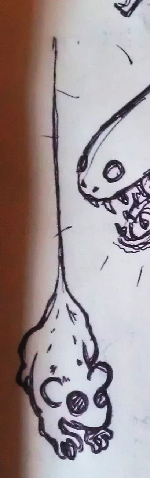
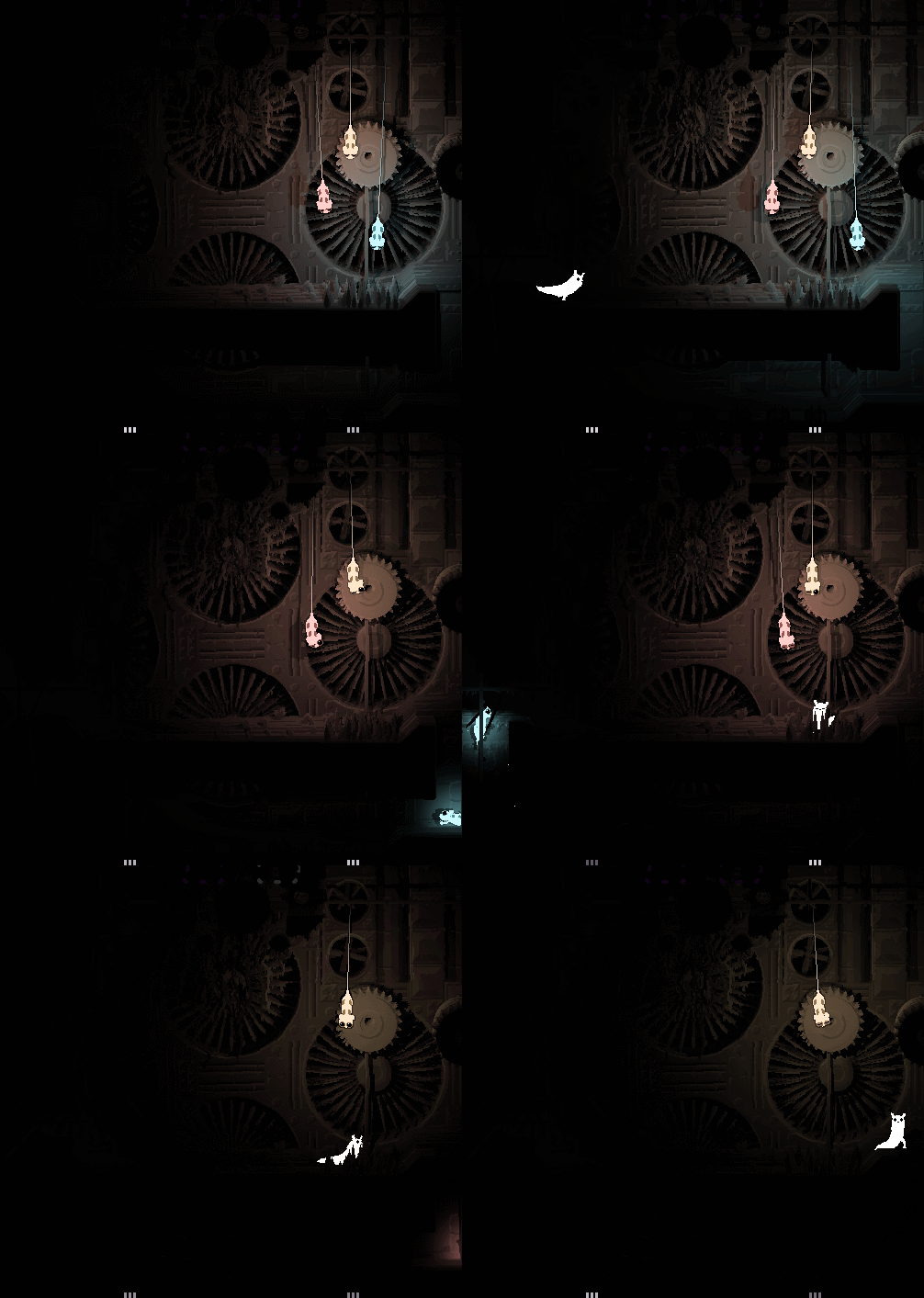
New creature on the way! This is a backer suggestion as well - the lantern mouse. The lantern mouse is a creature smaller than you that is mouse-like and glows. It lives in the dark regions, and hang from the ceilings trying to attract flies with its glow. They work as a light source in the dark regions, and if you're skillful you can catch one and carry it with you in the same somewhat awkward manner you can carry a cicada or a snail.

I've already got some path finding and general behavior up and running, yay modular AI!


Sooo, hanging from the ceiling... At first I thought I was going to be able to skip all the rope physics stuff, and just have it lose it's thread(tail? Spider web? Well, the dangly thing) if the thread hit terrain. However, it turned out that the rope hits terrain ALL the time, especially as these fellas are not wall climbers and therefor actually have to secure their ropes somewhere close to terrain. So, rope physics it is.

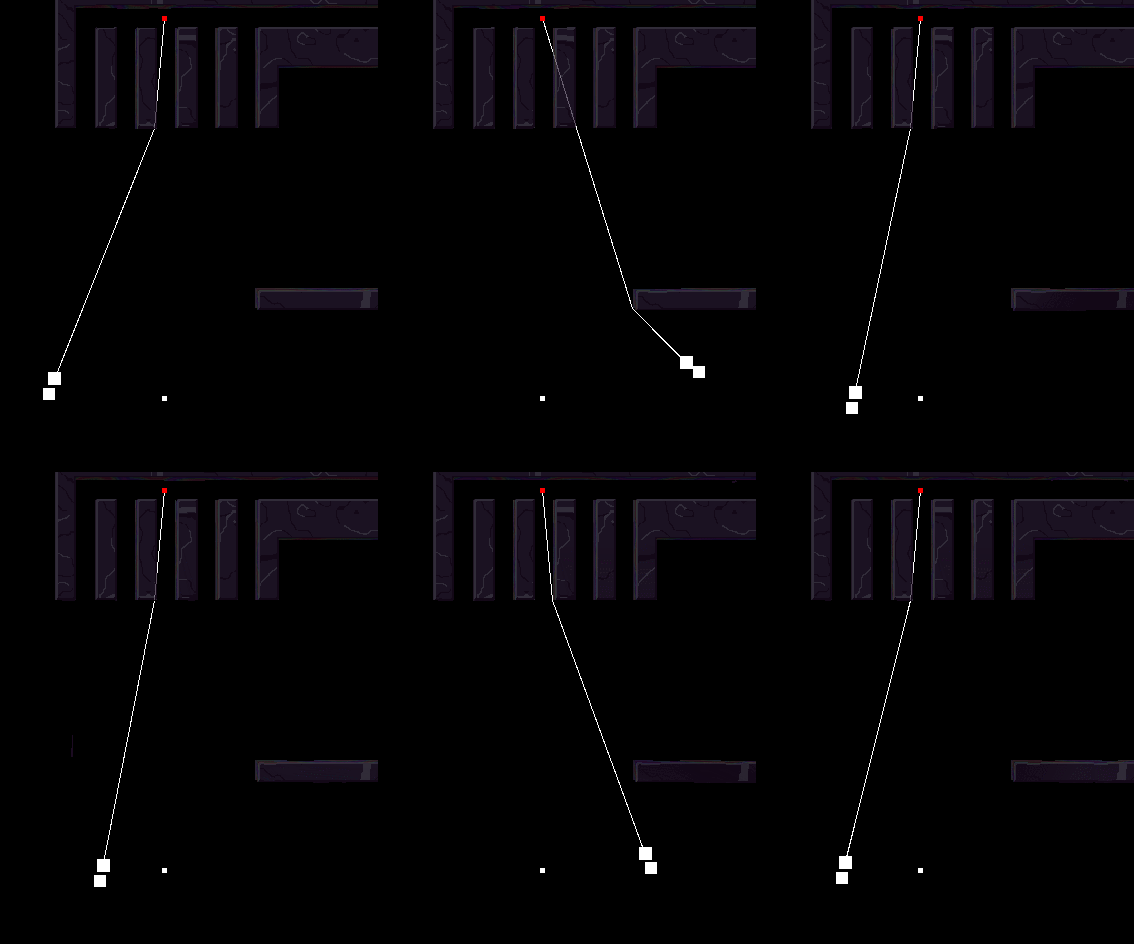
I'm not doing anything super fancy, just want something like the ninja rope in worms - basically whenever it hits a corner that corner becomes the new attachment coordinate until the previous attachment coordinate is visible again. Slowly but surely I'm getting there, through horrible hacks:


As you can see I'm about halfway there - the sentiment is right, but at this point it can only keep track of one corner, when it hits a new corner it promptly forgets about the previous ones. I don't think this will be too difficult though, I'll just keep a list of the corners and de-activate them as they come into sight again. But let's see!

Really happy to be back to game-making again  Smiley Hand Thumbs Up Right


   JLJac on April 24, 2015, 11:33:17 AM:

@Christian, thanks! Size-wise it makes a lot of sense for lizards to be hunting them, so yeah I think so. The sketch was more me drawing a bunch of creatures on the same page and failing to crop the lizard out tho  Wink

@Prinsessa, yeah, they're a bit spidery now that you mention it! Everything I make becomes creepy... These will be more cute than creepy though, this particular backer is a friend and it has been made clear that the cuteness is not to be compromised!

@Crispy75, Actually they can't climb walls, they have to have a corridor leading up there, or they can hang from a ledge. Those corridors up top in the gif are connected to a chute that leads to the ground, where they scurry up. They should also theoretically be able to suspend from horizontal poles, but I haven't tried that yet.

@oldblood, thanks thanks! I'm really happy myself about how well the backer creatures are fitting in, it would be dishonest to not say I was worried as the suggestions came from a pretty motley bunch of angles and takes on what the game was about. I did sweat a bit over the backer creatures, but by now I've actually turned around 180 and view them as an asset rather than an obligation. Working with other peoples' ideas has turned out to be a really cool boost to the creativity, and I definitely think the cast will be more diverse for it. Also, all of them so far has really been working out really well aesthetically and thematically.

Other news: Yay, simple rope physics working-ish! The simulation is really crude and can only really deal with pretty calm movements or the rope will start sticking to corners everywhere, but it works for mellow dangling from the ceiling. I capped it at 2 bends, when the rope is bent the third time it snaps, as another anti-tangling measure. If I decided to go there, this could easily be a very similar hell to the tentacle stuff, and I'm sooo done with that, so I think I'm gonna call it a day. My main goal was to make them able to swing a little back and forth, because I want to show off the dynamic shadows.

Behavior-wise these critters are pretty simple, they just have an idle (dangling) and a fleeing behavior which is more or less  straight imported from the ThreatTracker module. They don't need a specific hunt behavior as the idle doubles as this - they'll wait passively for a bat to be lured astray among the pretty lights. What needs to be done is that they should be way less concerned about predators that are below them while they're suspended, as it wouldn't really make sense for them to spot something coming along the floor and then panic and drop down there - playing it cool and hanging out is smarter. If a predator is above them however, they should probably be more concerned.


   jamesprimate on April 24, 2015, 05:55:54 PM:

Oh we've got planz for them  Hand Point Left Well, hello there! Hand Point Left


   jamesprimate on April 25, 2015, 12:49:43 AM:

Thank you! Though I think I can speak for the both of us on this topic and say that the relief of finally getting this out is the only thing on our minds  Tired


   jamesprimate on April 25, 2015, 11:43:25 AM:

CUUUUUTE  Kiss

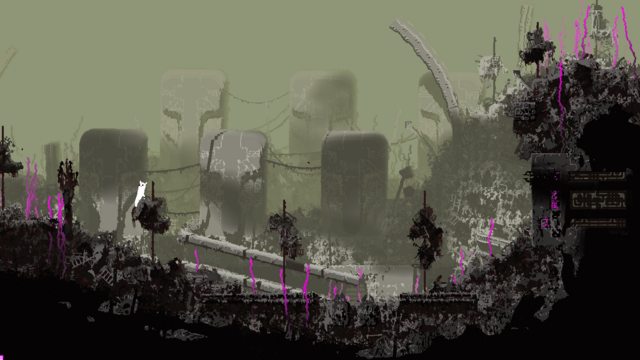
screenshot saturday or whatever. still playing in garbage:


detail: https://i.imgur.com/iQziA42.png


   JLJac on April 25, 2015, 12:08:39 PM:

Thanks!

And yeah, what James says, actually releasing and selling the game feels like in a long long time in a galaxy far far away - for now the story is on a more personal plane about finishing what you set out to do!

@marcgfx, stuff isn't really bats and mice etc, they're not even named those things in the game - we just need to have some descriptor for them to refer to them in the devlog! So, the internal relationships between the critters don't have much to do with those of the real-life creatures they lend their names from.

All these mice are super cute! Nice to see some cute in this thread, there's been plenty dark grim and creepy to go around haha.

James yeessss you just keep cranking out the pretty with this region! Really digging that black fungus tree! Grin


   JLJac on April 25, 2015, 01:01:25 PM:

Valid concern! I'm the one to write the code that outputs these, and I've drawn the palette, so I'm really not one to speak, but to me it's decently obvious what is the first - interactive - layer. The dark stuff that connects to the room borders is solid, the light grey stuff is background. Perhaps seeing it in motion helps a little bit as well, as the clouds sort of give away what's deeper into the image, but that might be wishful thinking. However I'm pretty sure that the interactivity of the game helps out a lot - if you're a bit unsure about whether something is interactive terrain you can try, and because the rooms are composed of assets you'll recognize and know that asset the next time. This should obviously not be the main way of differentiation, you should be able to do it at a glance, but it's a fallback.

The simpler and cleaner the geometries and tiles, the easier I imagine the terrain is to read. And that's certainly a concern in the messy garbage wastes. However I think James has been doing a good job with dumming the geometries down a bit for this region. Most regions have some pretty intricate maze stuff going on, here it's mostly just flat floors or large distinctive hills with the occasional garbage-sickle sticking up, and after interacting with one of those once I had a pretty solid idea how they work. But then again, this is a dev talking... The contrast though, which is the main way of communicating this, is changeable in the palette, and that's really easy. So if it's a problem I'm sure we'll be able to adjust it!


   jamesprimate on April 26, 2015, 03:49:48 AM:

@rainworldisawesome and tortiseandcrow: yesss thanks for the support! these 2 posts pretty much exactly sum up my feelings on the subject  Hand Metal Right

So I had mentioned the devlog in another forum earlier today and that got mw browsing the earlier pages again. It's incredible how far the game has come and how consistent the game has stayed over the past three years. Like you had Canopy rooms already all the way back in 2012


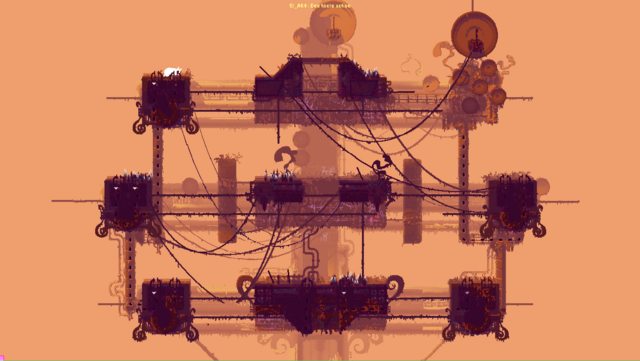
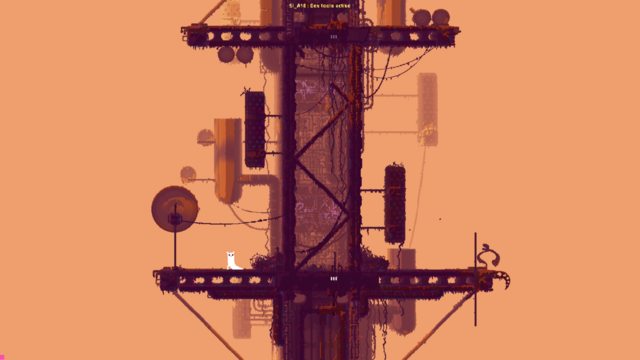
ill take this as a huge compliment! the reason for this is that pretty much all of the regions/rooms/etc were either directly inspired by or extrapolated from Joar's levels in the first alpha. He would do a room or two with a distinct look and gameplay mechanic (say the sky islands/chimney canopy look there, with the "small platforms separated by pipes and fall death" mechanic)  then move on to something else 2 rooms later. I took the most compelling ones of those little micro-regions and fleshed them out, picking apart all the ways that specific combination of game elements could be exploited, then built the larger "region" narrative to support that and give it some context.

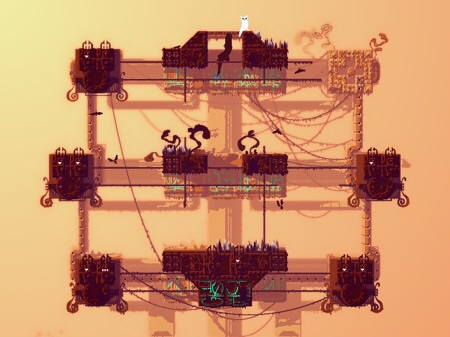
For instance that room you posted above from the alpha exists in the current Sky Islands region. I saw that room as the top-most part of a large antennae structure, so its modified a little to fit that concept:


but then got to flesh out all the cool inbetween stuff to get to that point:


The larger scale world-building was essentially the same thing, taking these already strong looks / mechanics and hashing out what each implied about the greater world: "if this sky islands region is up in the air, whats below it? whats to the right? what is holding it up? why is it there?" etc., and then working to put it into some sort of cohesive whole. The ideal being a world map that explores all these various mechanics and does so in an exciting, comprehensible fashion.

So far so good! The only problem is knowing exactly when to quit the extrapolation engine and say "yep this is enough!" Tongue


   JLJac on April 27, 2015, 12:27:06 AM:

Incidentally, I just finished reading an section in a book that discusses the way maps work from an ethnographic perspective. When you're a local, the landscape is this mesh of lived experience, emotional memories, that sort of thing. A map abstracts from that lived experience to provide you with a view from elsewhere, both literally (maps are projections of the landscape from above) and culturally (locals don't need maps). Experientially and culturally speaking, a map is a tool to allow you to access an unfamiliar space without having to become familiar with it. If you do become familiar with a space via a map, your experience is mediated by the map's abstraction. The map comes to define (and thus distort, because abstraction is by definition a selective representation) the territory it describes, rather than letting the territory directly inform your experience.

So there you go. Be a local! Ethnographic theory has your back.

A really interesting read! Agreed on all points!

Hey Joar, would you be willing to describe some of the physics involved in stuff like the tails and dangling parts of vultures and such, I haven't learned enough math yet to get to things rotating around points with gravity or anything like that, but I'm starting to want to try some stuff in my games, and google is being unhelpful. Found the simple pendulum formula, which I can at least read, if not fully understand how it works, but I'm not sure what you use. (you probably use that for the ropes at least, if so, could you explain it to me as you would a baby? I'd appreciate that;))

If you're busy that's totally understandable,
Nico

The magic trick used for everything creature physics related in this game comes down to a couple of lines of code. Let's take a look:

Code:
public class Chunk{
   public Vector2 pos;
   public Vector2 vel;

   public Chunk(Vector2 initPos){
      pos = initPos;
      vel = new Vector2(0f, 0f);
   }

   //Called every frame
   public void Update(){
      pos += vel;//Apply velocity to position
      vel *= 0.98f;//Air friction
      vel.y -= 0.8f;//Gravity, with Unity's (non?)inverted y-axis. If you're using something else, flip it.
      if (pos.y < 20f){// Putting a simple floor in the simulation space so the chunks don't fall off screen when you try it ;)
         pos.y = 20f;
         vel.y = 0f;
      }
   }

}

This here is a class representing some physical object, or rather part of a physical object. I'll call it a Chunk. As you have a game with stuff that's moving around on the screen and is affected by gravity, I take it you know what's going on in this code  Hand Thumbs Up Right

Now, the magic trick! First a simplified example:

Code:
public void ConnectChunks(Chunk A, Chunk B){
   float wantedDist = 10f;
   float currentDist = Vector2.Distance(A.pos, B.pos);

   Vector2 dir = (B.pos - A.pos).normalized;

   A.pos -= (wantedDist - currentDist) * dir * 0.5f;
   A.vel -= (wantedDist - currentDist) * dir * 0.5f;
   B.pos += (wantedDist - currentDist) * dir * 0.5f;
   B.vel += (wantedDist - currentDist) * dir * 0.5f;
}

Explanaition - we want the chunks to be 10 units apart. If they are further away from each other, we pull them together by the distance needed. If they're closer, we push them away from each other.

(Small side note, I think the "(B.pos - A.pos).normalized" is correct, but it could be the other way around, haha! Try both and see what works, if you get stuff twitching out and disappearing from the screen, you have it in the wrong order.)

Ok, so let's step it up a notch. Notice that *0.5f? That means both chunks are affected equally. If we affect A more than B by the movement, it will appear as if B is heavier. Say that you add a mass parameter to the chunk class, you can do this:

Code:
public void ConnectChunks(Chunk A, Chunk B){
   float wantedDist = 10f;
   float currentDist = Vector2.Distance(A.pos, B.pos);
   float elasticity = 0.8f;
   float massFac = A.mass/(A.mass+B.mass);

   Vector2 dir = (B.pos - A.pos).normalized;

   A.pos -= (wantedDist - currentDist) * dir * (1f - massFac) * elasticity;
   A.vel -= (wantedDist - currentDist) * dir * (1f - massFac) * elasticity;
   B.pos += (wantedDist - currentDist) * dir * massFac * elasticity;
   B.vel += (wantedDist - currentDist) * dir * massFac * elasticity;
}

If A weights 1000 units, and B weights 2 units, we get a massFac of 1000 / (1000 + 2) = 0.998. If you look at the code, you'll see that this means that A will be moved pretty much not at all, and B will do almost the entire movement. This is why it takes 700 leeches to drown a vulture in rain world  Cheesy

Oh and I threw elasticity in there as well, but that's pretty straightforward.

I give zero guarantee that this is anywhere in the same galaxy cluster as approximating real physics, but it does what I want. I've heard that this technique is called "atomic bond physics" (in Swedish, don't know about English) and that makes a lot of sense, but I haven't seen it utilized much elsewhere, which is a shame seeing how it's so simple and effective.

Of course you can make it so that one of the Chunks is not affected at all, while the other do all the moving. Actually this is a good place to start - have one chunk, and lock the other connection to the mouse position, and you get a little swingy thingy to play with. In my game the creatures have a set of body chunks that affect each other, and then they have a cosmetic layer on top of that which is just connected to these, but can't pull at them - effectually a massFac of 1.0f. This means that when the creature is offscreen I can just drop the cosmetic layer (or "skin" as I've come to call it) and the actual game object will still behave the same.

A tail or tentacle in RW is a bunch of these that are connected to each other in succession.

This stuff locks two chunks to each other. If you want to turn it into a (wonky) collision physics engine, you just need to add "if (currentDist < wantedDist)" and the chunks won't pull at each other, only push at each other if they're actually overlapping.

Everything in my game is just variations and elaborations on this theme! Though honestly not very big elaborations, the majority of it is just straight up this here code. Good luck  Smiley Hand Thumbs Up Right


   JLJac on April 27, 2015, 11:16:20 AM:

Haha yes, consider it announced.

So theoretically, could you modify this kind of physics simulation to hold two objects at a certain distance and position relative to each other, then change said position to move them relative to each other? I'm mostly just curious because I once had an idea that I wanted something like that for.
Actually not even that, just a distance. To boil the entire thing one to one sentence "two points are locked at a distance" ~ that's all  Shrug

Update 418
Started skinning this little fella! Always the most fun part of my work, as the colored squares suddenly take on personality. Hope to have something to show you tomorrow!


   JLJac on April 27, 2015, 10:08:58 PM:

@RainWorldIsAwesome, yes, most certainly!

@NicoM, yep a creature grabbing another creature is just a temporary connection between chunks!

@NicoM and compostface, go right ahead, the world is big enough for both of us Smiley Also, I actually don't think our games are that similar, you guys certainly have your own style. Rain World basically started out as an attempt to rip off Lyle in Cube Sector, but took its own turns. If you have some sort of artistic urge you can't really truly rip something off, you'll always make it your own and that makes ripping off a really good starting point! Another big inspiration for me is Tsutomu Nihei's stuff, such as BLAME and Biomega, you should definitely check that out if you haven't - I think it might actually be even more relevant to you guys' project than it has ended up being to this one. This is the best part of the internet, inspiration and ideas flowing all over the place!


   JLJac on April 28, 2015, 01:13:31 PM:

Update 419

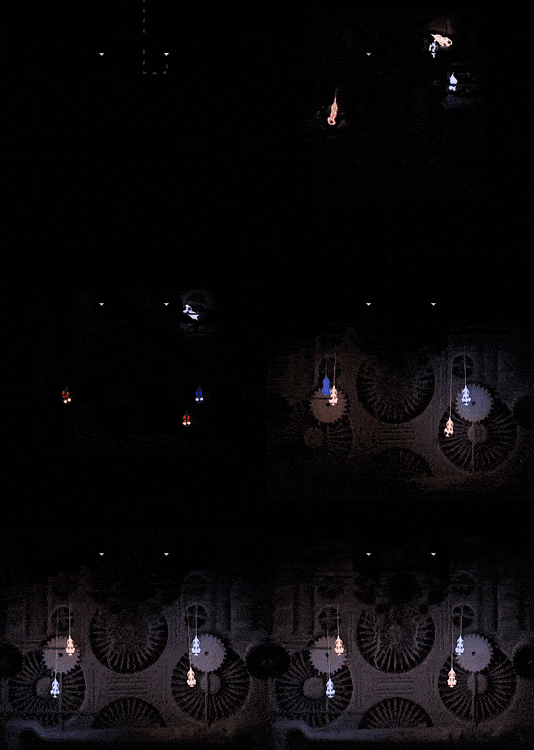
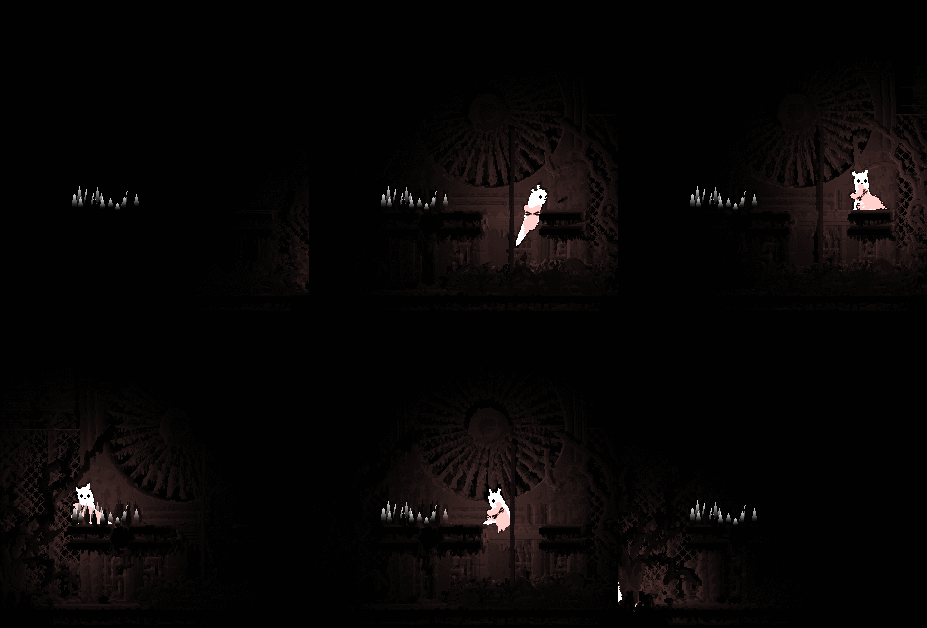
A first look at the lantern mice!

Entering lantern mode:


Startled:


Full panic scurrying!


   jamesprimate on April 28, 2015, 01:18:30 PM:

OMFG


   JLJac on April 28, 2015, 10:22:14 PM:

Thanks you! I'm glad you like them! Grin

Yeah it's probably some sort of strand more akin to spider web than it's their actual tail that's so long and elastic, but what do we know haha. On the question why they don't pull themselves up, that's a really good one, lol! I should probably implement that  Droop That said, they are technically able to pull themselves up, but very slowly, so they'd probably still resort to the drop if you get too close.
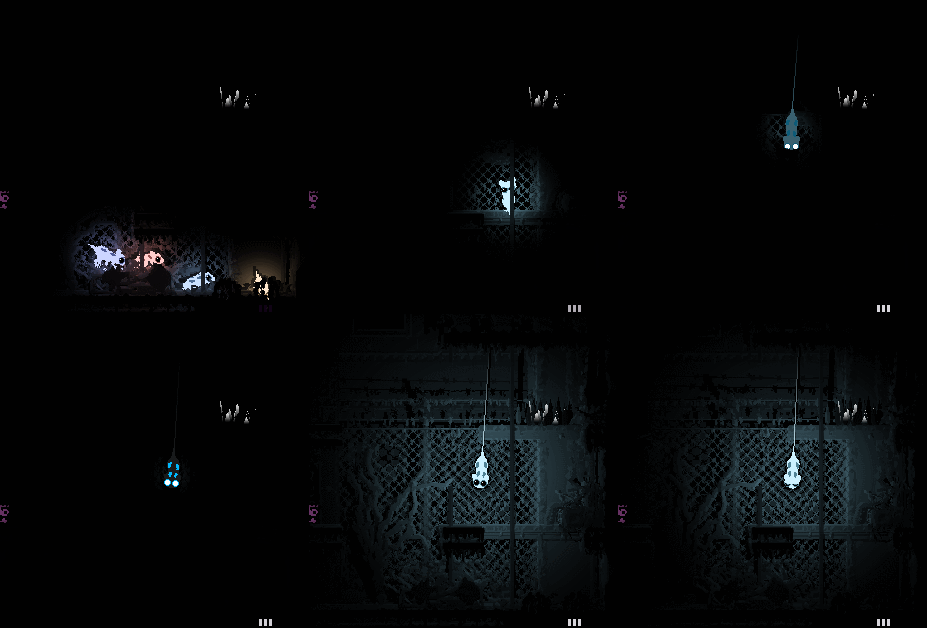
The tiny gnat-like insects are tiny gnat-like insects - they probably shouldn't be hanging out in the dark biomes, but here they are because I haven't written any biome code yet and just applied a dark palette to my trusty old test room.


   JLJac on April 29, 2015, 10:03:03 AM:

Yeah, all home brewn shader code! I can post the code if anyone is interested, but it's fairly contextual to the RW solutions so I don't know if it is applicable elsewhere.

Update 420
More mouse stuff!

Did a little touching up of the charging animation - I wasn't happy that the entire mouse turned monochrome for a moment, so instead I now have the eyes turn white first so there's always some color differences going on.


Carrying a mouse as a light source. Seems to work out well!


Also, mice dying Sad Felt pretty horrible of course, but had to be implemented. A dead mouse will continue glowing for some two minutes, so if you're that kind of person you can hit it with a spear and get a light source that fades away, but on the other hand won't run if you drop it.
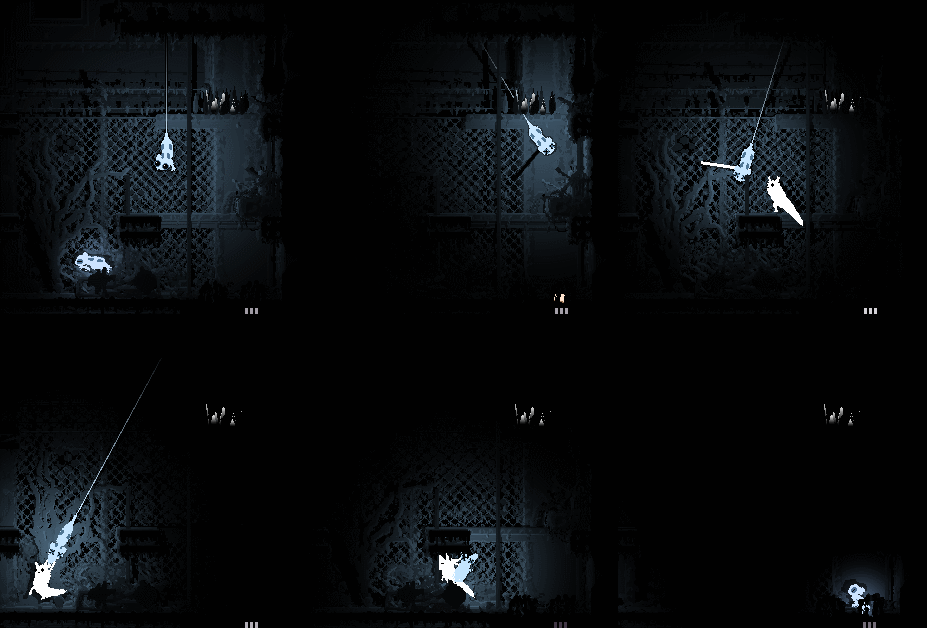
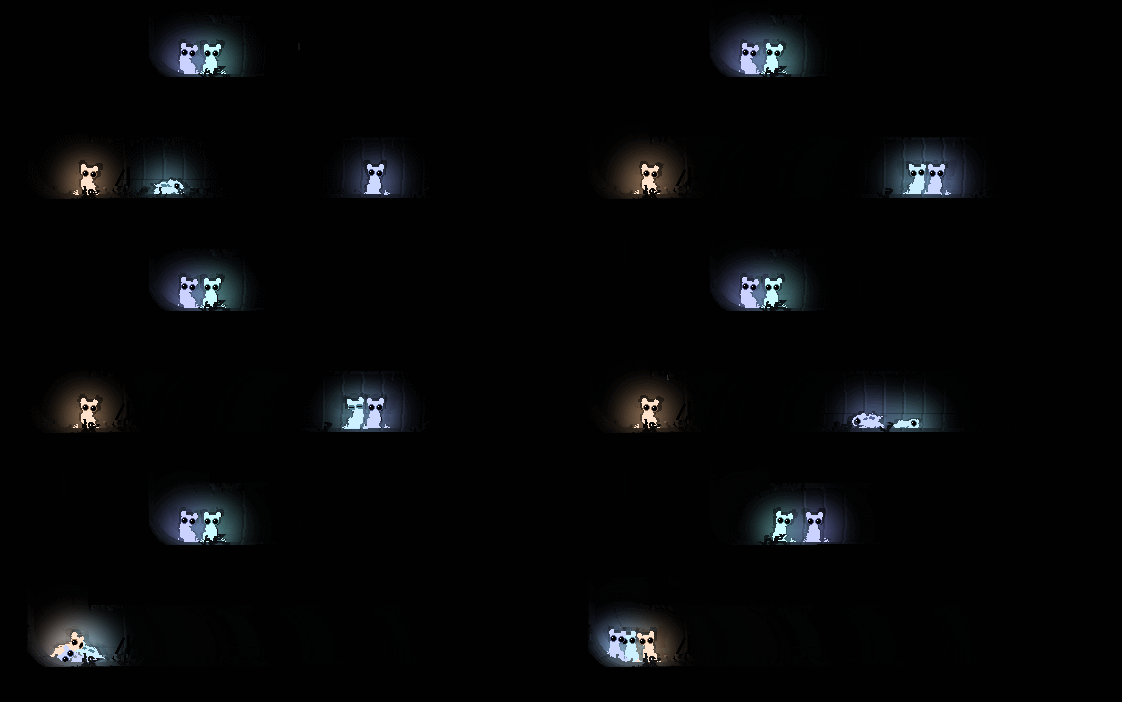


Other than that, some more boring technical stuff concerning mice existing in a world contrary to just in a single room. They need to be able to do stuff such as determine if a room doesn't have any dangle positions, and if so move to another room, etc etc.

If stuck in some pit with nowhere to dangle, they'll just sit around wait for better times to roll around: