—    —  Home

   JLJac on September 23, 2014, 01:14:49 AM:

A quick question that popped up: How do the blue lizards react to the green ones? Did you make them afraid of green ones by default, or do they realise that they are being hunted and then register the hunter as a threat? Or maybe they are just completely oblivious to the fact that they are about to be eaten?  Shrug

I also loved the lizard backing up when he suddenly sees the slugcat below him in the reverse rain world gif! The way you handle the AI makes the creatures feel truly alive!
Thanks! That specific relationship is pretty much just me testing the system by this point, I don't know whether it'll make it to the final game. It might though! Or maybe green lizards could become aggressive towards blues if they're competing over prey. In any case, the creatures are going to know what other creatures to watch out for by default. They've been living in this world a long time, so they have a hunch. If they'd have to actually figure out what's dangerous and not, they'd not really stand a chance - because they're unable to see through walls they'd spot the threat as it was currently charging at them, and wouldn't really have any time to draw conclusions. I guess that the same rule as in actual nature could apply though: if something is bigger than you, get out of there!

Sounds really cool.

Are multiple lizards of the same color able to hunt cooperatively? For example not choosing the same path and/or keeping a constant distance to each other?
The yellow lizards (not in yet) have cooperation as their trait, the others are rivals with varying hostility towards each other.

I must admit that I haven't read all of the 102 pages, but just wanted to say that I really like the style of this project. It looks awesome and, judging from the gifs you're posting, has a great feel to it. Any chance to get an ETA on when this game will be released? Smiley
Thank you! No exact date yet, James and I need to pin down some design choices first!

Update 313
Got a utility based AI system up and running, with a little class keeping track of each utility level, multiplying it by a strength, etc. Seems to run pretty well! Also made it so that you can give it a bias to continue the current behavior, and a function that compares all utilities and returns the highest.

One problem I ran into today was this - I want the Fear parameter to tick down slowly rather than just drop as soon as the creature is out of the threat's immediate proximity. It makes sense to continue staying away for a bit, right? The problem I encountered is that even very minor threats (say 0.2 on the "how afraid am I of this thing"-scale) should be able to cram the Fear meter up to max if they're very close.

You might be more afraid of bears than wolves, and that should make a difference if you spot either creature on a distance. If you walk around a corner and end up eye-to-eye with either animal the difference in shock and panic wouldn't be very big though.

I have something like this in - the threat alert divides with an exponential of the distance, making it so that a threatening creature has a large blob of super scary tiles around it, while a less threatening creature is only really scary in its immediate neighborhood.

The problem is that if the AI is scared by a less scary creature, but scared to max scaredness, it still takes a long time for the Fear to tick down. I don't quite know how to tackle this one just yet. One idea is that every frame that the Fear parameter is something high, a counter ticks, and then the Fear parameter ticks down slower depending on that counter... Like, if the creature was panicked for 20 seconds it takes longer to calm down than if it was only scared for 4 seconds. Hmmmm....

I wanted to post a gif of some lizards hunting each other and the player today, but the fleeing behavior never quite got to a place where it didn't look stupid, despite some efforts to make it look more consistent. I know you guys liked the panicked hesitation, but there was a bit much of it, making it look like a flickering back and forth rather than a somewhat consistent following of a flight path.

The problem is mainly that the creatures don't commit to a flight path, instead they constantly change their mind as to where they're going. I have been able to tackle some of that today though. I identified the problem to be that when evaluating if a certain spot is a good place to flee to, you can't only look at how scary it is at the destination, you have to look at how scary it is along the path to get there. Example - a safe place that is behind a threat, meaning that you have to move by very close to the threat in order to get there.

The correct solution for this would be to actually calculate the entire path, I guess, and evaluate how scary every tile is along that path. This isn't viable though, as these evaluations have to happen several times per frame. Instead I made some kind of hacky little approximation, where I check the tiles in a straight line between the creature and the possible target position. This actually seems to get rid of the absolutely worst running-straight-into-threat scenarios.

Things are moving along rather well. I found myself playing the game as a game from time to time when playtesting, which is a first for the Unity version. The very core elements of sneaking, running and out-maneuvering are in now, and the ability to very quickly change creature relationships on a whim creates a lot of cool opportunities for experimentation. Tomorrow I hope to be able to show you something.

   JLJac on September 24, 2014, 05:31:16 AM:

I know, I will give you something to look at! I'm just so caught up right now... Please be patient just a liiiiittle longer! Yeah, that idea crossed my mind as well! It would be super easy to implement.

Update 314
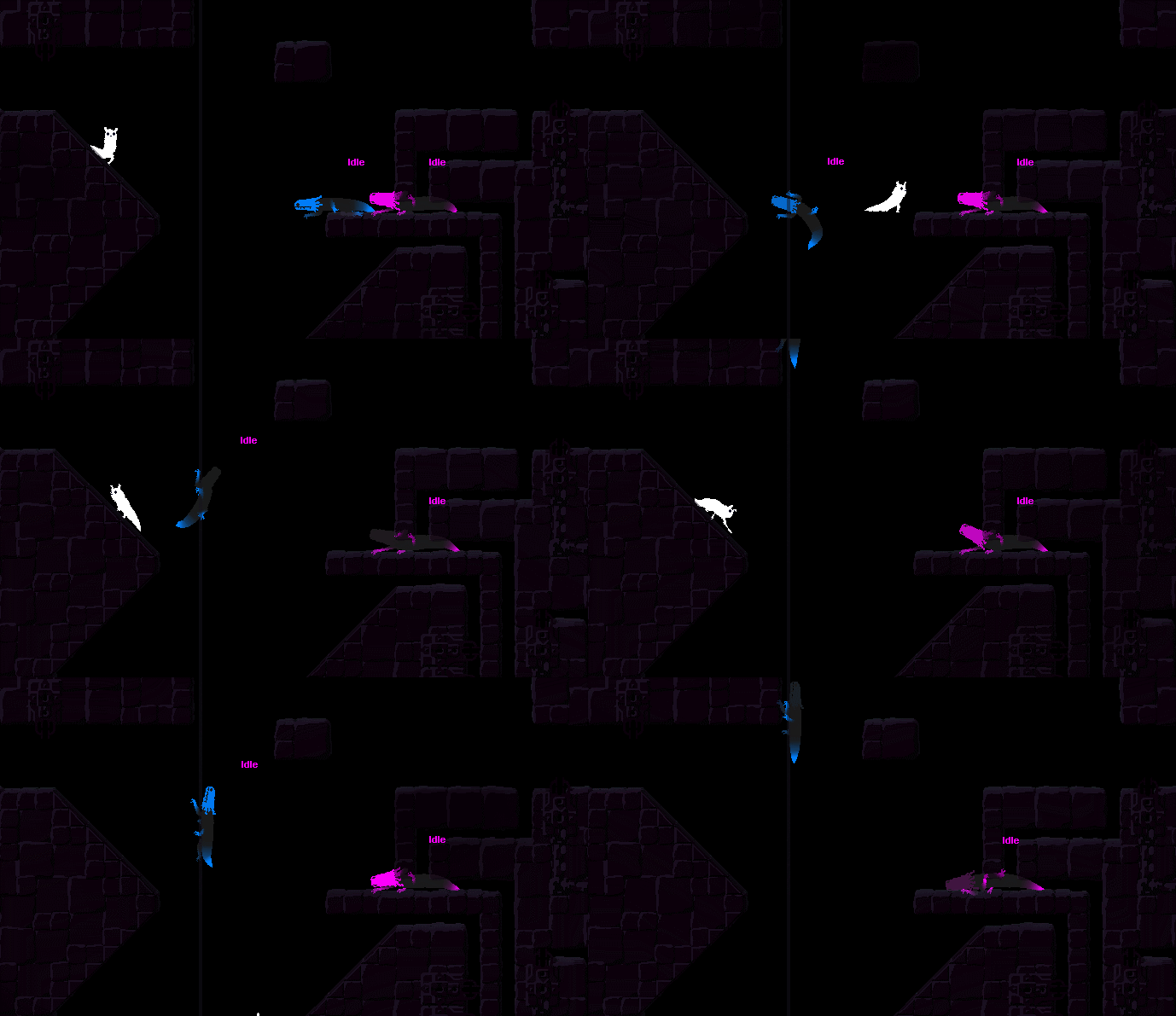
I've entered some kind of turbo mode, and am working like crazy. That said, I find it difficult to describe what I've been doing today in simple terms. Creating lizard behavior, and changing what needs to be changed in order to create lizard behavior, I guess is what's going on. Today the lizards got a ton more going on for them. Mostly I've worked on idle behaviors. When idle, they slow down some, stop a while, move between different spots. They sit and look at other objects - taking things such as how fast the objects are into account when deciding what to look at. They all have different preferences when it comes to choosing a spot to sit - green ones like an open floor, pink ones like to lurk in a narrow space, and blue ones prefer sticking to some wall high above everything else, ready to drop down on whatever might pass by.

I think what's going on here is that I've suddenly found myself creating the game, rather than paving the road for creating the game. This process is a little different, as I can't be as brainy about it - it's not a bunch of tasks that can be crossed off, but rather a creative thing. That said, I should be able to devlog properly... So sorry about how this week has been so far haha! Tomorrow I promise to pull myself together and give you some gifs to look at!


   JLJac on September 25, 2014, 01:10:01 AM:

Update 314
The lizards now have three of their main behaviors more or less done - idling, hunting and fleeing. The one missing is fleeing from the rain - when they can do all those things they're "feature complete" in that they'll work as a game mechanic, though the particulars of the behaviors can of course always be improved.

The very first step towards making them flee away from rain is introducing the dens they'll flee into - so that's one thing I've done today. It's a change that goes pretty deep in the most basic infra structure of the game (rooms, connections between rooms, how rooms are loaded. Basically the foundation of the game world) and it's been a long time coming. It wasn't as bad as I expected it to be though, just an hour or so later the game ran again with no problems. The worst part was having to dive back in the lingo level editor to fix some stuff (yuck!) but other than that the new build seemed to be able to handle the changes. Something's gonna pop up down the line though, I guarantee it :S

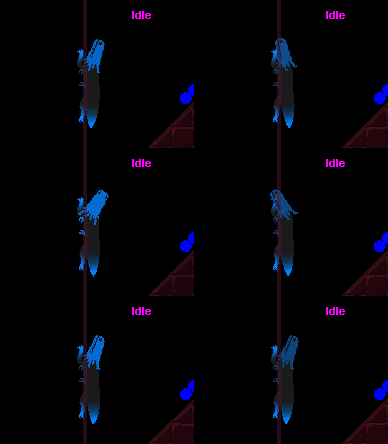
Other than that I've actually worked a little on cosmetics as well. As the idle behavior is slowly but surely coming together, there are some animation details that need to go with it. I know this has been the devlog's most boring week ever, but here's at least something visual to look at:


Sorry about the chubby tail and tail gradient, I know we decided that was going away but I haven't gotten around to changing it yet. What you're supposed to look at here is that the head can move, and that there's subtle movement in the tail and a hint of breath contractions around the chest area. If the lizard is dead or knocked out those movements should probably stop.


   jamesprimate on September 25, 2014, 04:52:46 AM:

sausage lizard!!!!!

idle animation looks promising. probably hard to judge outside of the context. i do believe we are heading toward some Nice Gifs though!


   JLJac on September 26, 2014, 12:26:19 AM:

As is they're pretty straight on, but it could be cool to have some other behaviors as well. The white ones ambush, but the point of that behavior is that you don't see them sit and wait for you as they're camouflaged. I can't really come up with any situation where a passive behavior would be beneficial to them... But yeah, it'd look totally cool.

Update 315
This morning I set James up with the level editor, and introduced him to the eldritch horrors that are its interaction design and general user hostility. Three years worth of "I'll just assign it to a button, I'll remember which one" has not turned out pretty. That said, he seemed to get a good grasp of it, and it's going to be a lot of fun to see what he'll produce!

Other than that, I did some more work on idle behavior, making them have a more reasonable way of tracking what to look at. Now they judge what creature to focus on depending on several parameters, such as distance, size of the creature, how intense the relationship to the creature is, how scary the creature is considered to be, and whether the creature is in view. Here's a gif with two lizard having their hunting behavior turned off, just chilling out and looking at each other and the player:


Apart from that I've been further tweaking overall behavior, and the big change of the day is that lizards now have a limited field of vision. It varies some depending on breed, but is usually around 180 degrees, meaning that you can fairly easily sneak by behind them.

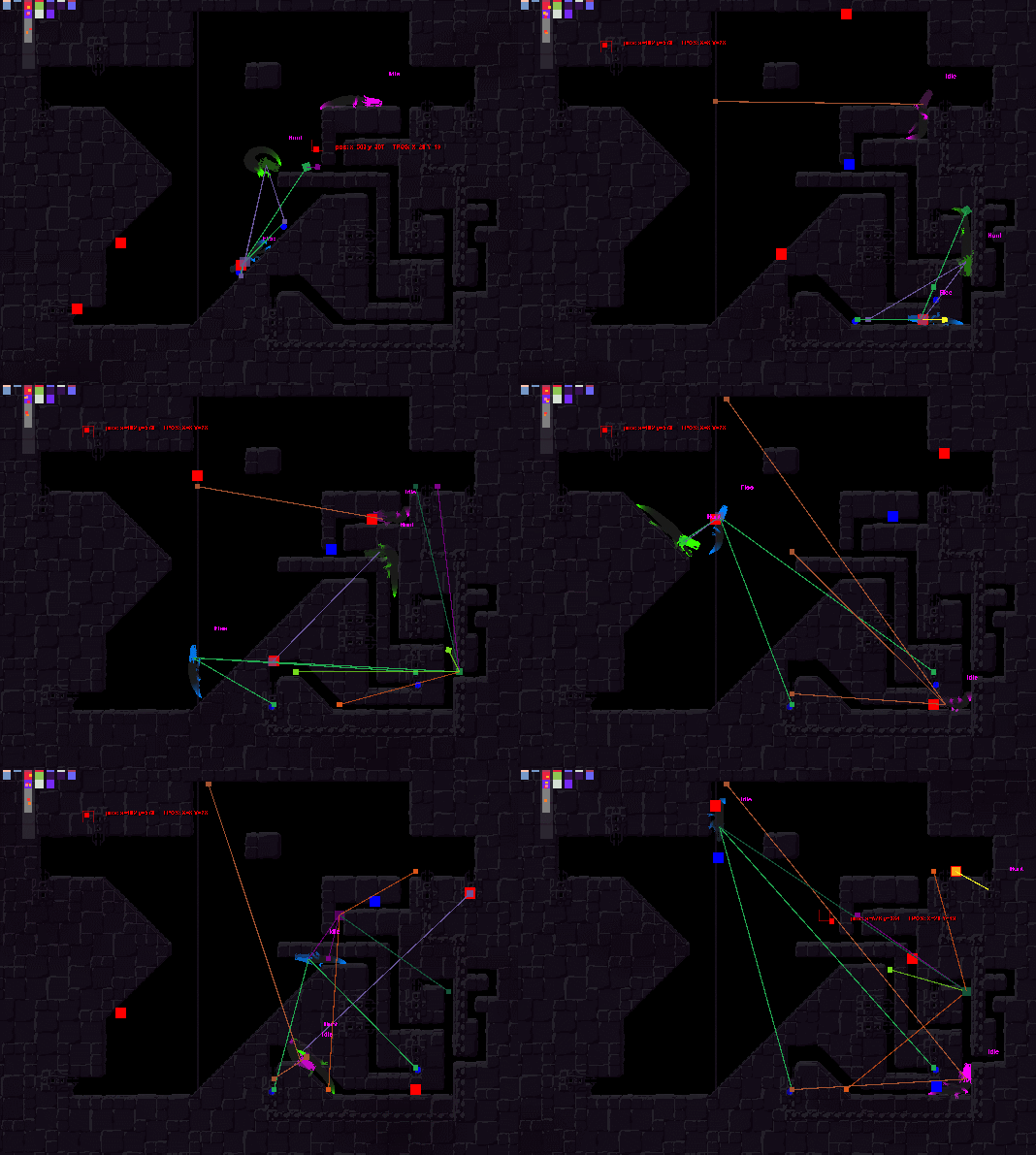
Here's three lizards in a level without the player, tracking each other and moving about. The green one has an "eat" relationship to the blue one, but a pretty weak one, meaning that it'll hunt it if it doesn't really have anything better to do, and give up pretty soon if the hunt is not going well. The blue lizard has a similarly lukewarm fleeing behavior. If the player were to enter the room they'd probably both stop caring about each other. The pink lizard is just trying to hang out, and you kind of get the impression that it's a little annoyed by the other two. The networks of little squares coming out of each lizard is a visualization of the Tracker, meaning that those are basically each creature's hypothesis of where each other creature might be. The pink lizard, which isn't really interested in any of the others, does very minimal tracking - basically just saving the last position they were seen. This slimmed down tracking behavior is one of the things I got done yesterday, I think. The blue and the green however run the full algorithm on each other.


Have a nice weekend everyone! See you Monday!


   JLJac on September 28, 2014, 11:50:07 PM:

Update 316

*flap flap flap*


   jamesprimate on September 29, 2014, 03:54:23 AM:

YAAAAAAY


   JLJac on September 30, 2014, 12:48:27 AM:

Update 317

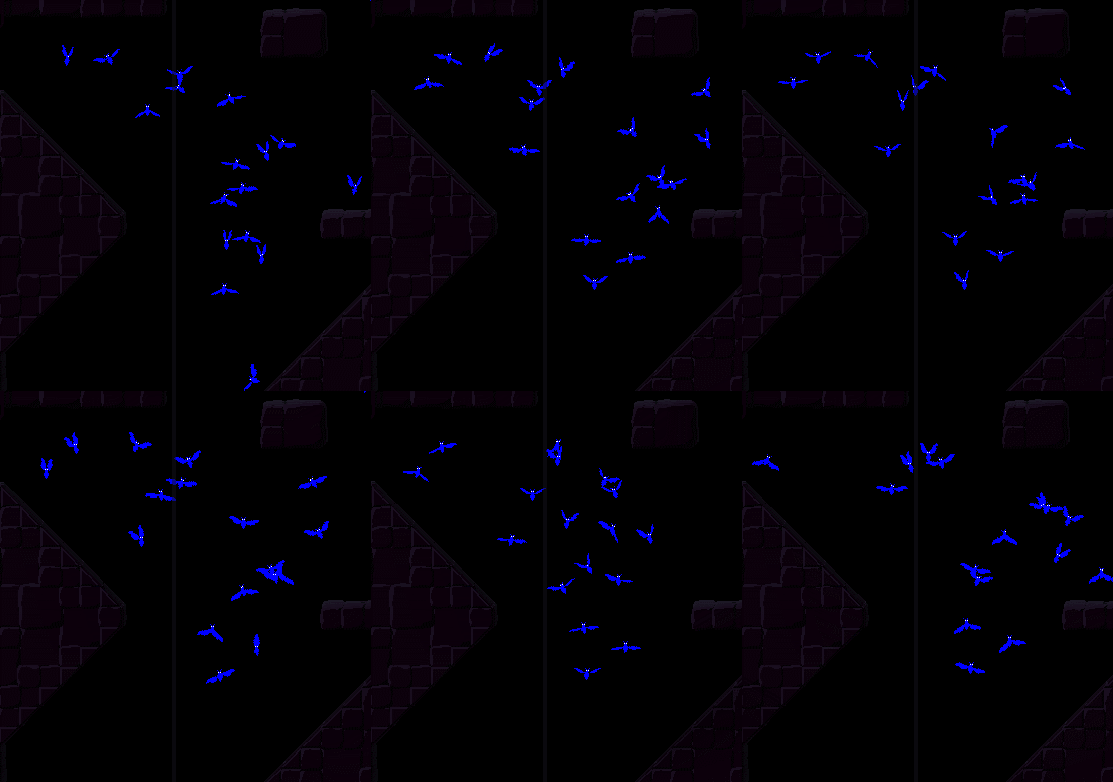
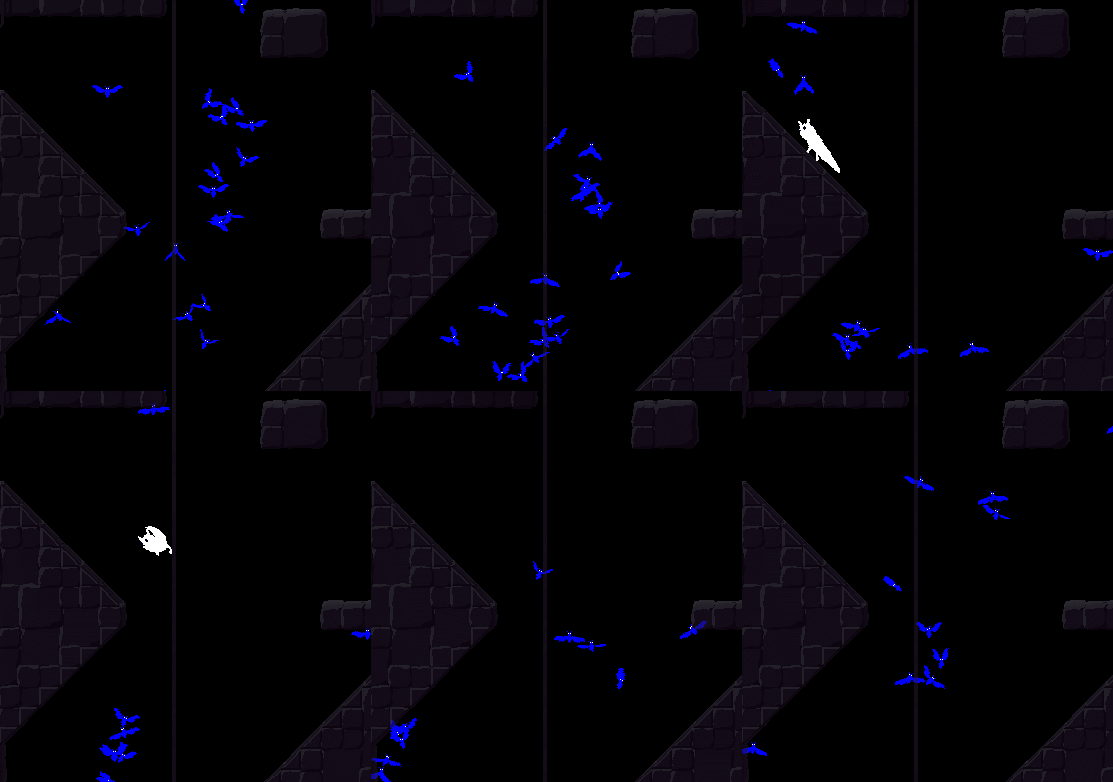
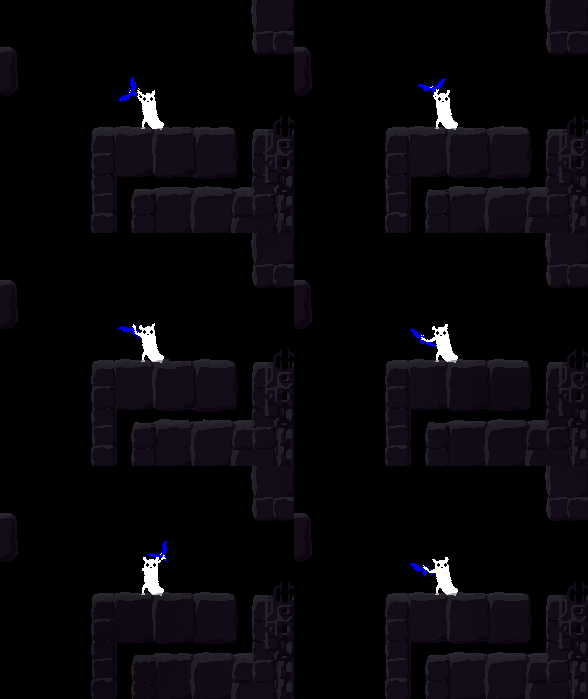
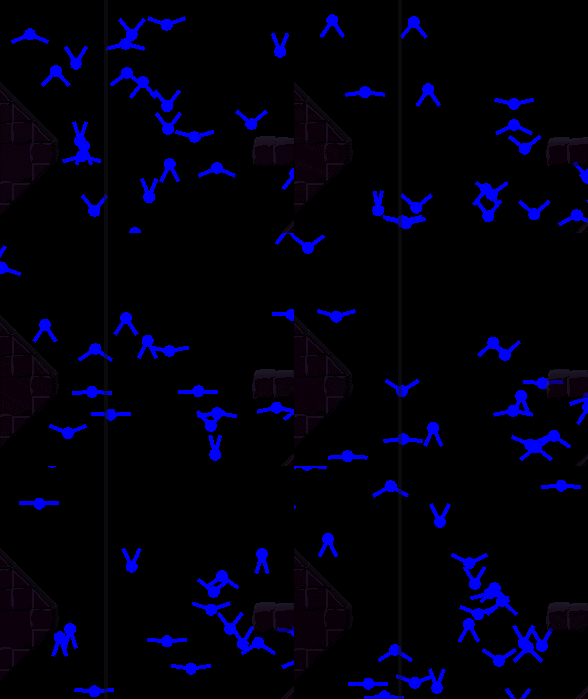
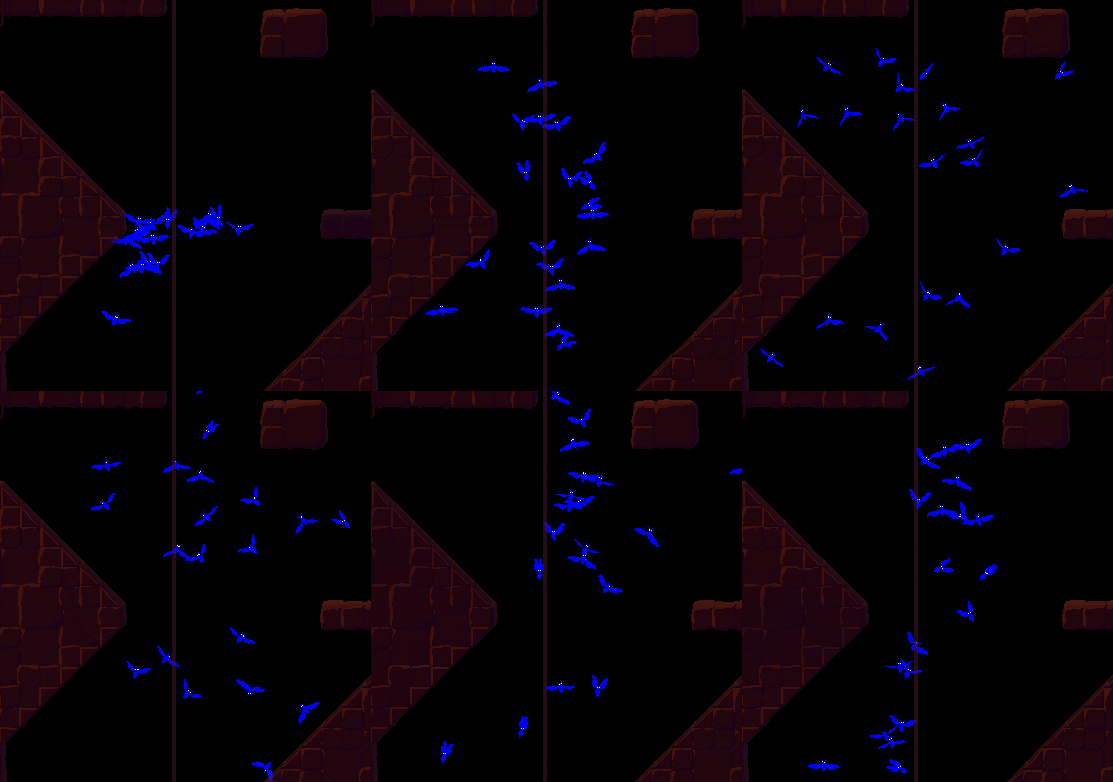
Hey, remember these guys? (Blue for your viewing convenience)


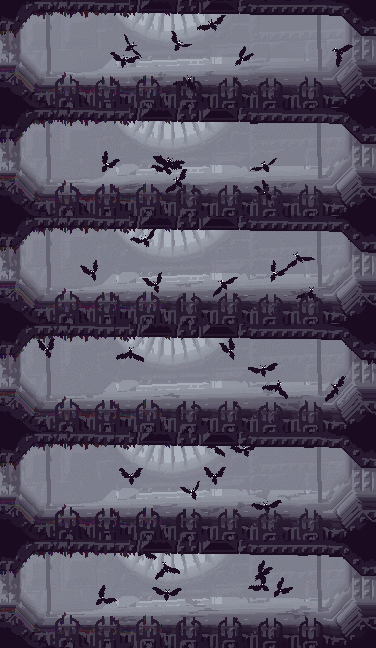
I've had a lot of fun with the flocking behaviors of these. The creature is ... eh... half bat, half (butter?)fly, and they're able to switch between a flapping bat flight and a buzzing insect flight - this time around I explored that aspect even further by having them engage in some kind of swarming ... dance? ... where they use the buzzing flight for a slightly longer time, hovering in place. The framerate of the gif doesn't really make those rapid wing movements justice, but you get the idea. They actually flap once per frame, so 40 times per second, but the graphics engine I've got going extrapolates between frames, meaning that you'll see as many frames as your computer can render. Her's the flapping in SUPER SLOWMO:


You might notice that some of them flap more with one wing than the other - that's when they're trying to move in the horizontal dimension.

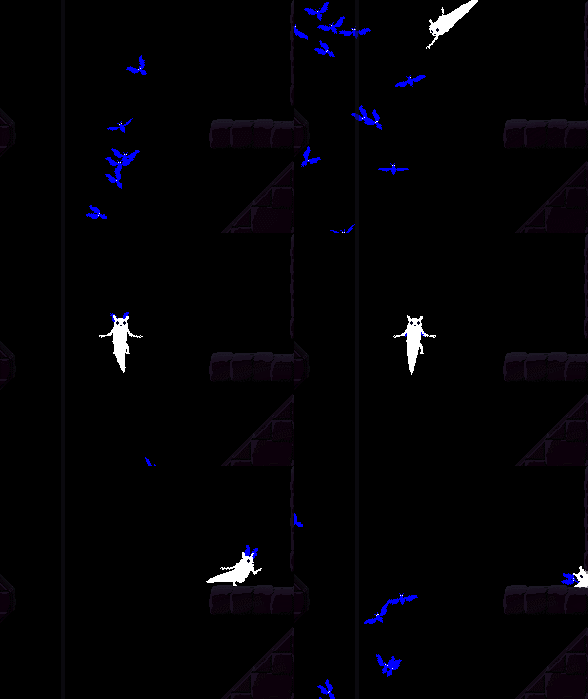
And here's a slugcat ambush in regular moderate slowmo (no actual interactions yet, but the fleeing behavior is in):


Edit: Oh, yeah, in that last gif there's actually a floor, but it isn't visible because I've turned the background off. In case you wondered why the slugcat is hitting solid air all of a sudden.


   jamesprimate on September 30, 2014, 04:52:48 AM:


Ahahahaha this looks so nature documentary, i loooooove it. the bat swarm movement looks fantastic!!!


   JLJac on September 30, 2014, 11:27:33 PM:

Why thank you!  Grin
 

Hahaha wow that's awesome! Especially like the little mini flaps in between... You should release it for the iPhone, it has one entire more dimension of freedom than flappy bird, so it should do ^2 the $$$ according to simple maths!

Update 318
Took it a bit easier today, and did stuff such as commenting some code. Might as well do it when it's fresh in memory. Also cleaned up the bat flight animation a bit - for example you might notice that the rapid flaps in yesterday's gif are upside down - they should be quick when going down and slightly slower when going up. Also the wings tended to be tilted upwards too much an not enough downwards, so I messed with those angles some and applied a Mathf.Pow to make the movement less stiff and linear.

Other than that I started implementing some bat grabbing. When I first just hooked the creatures up with the default grabbing code I got this behavior, which struck me as hilariously confused:


"Is it stuck to my neck!? It's stuck to my neck right... If I stand very still maybe it won't bite me..."
And the bat is like "Whoops stuck to a neck here. Guess I'll just keep on flapping"
 Cheesy

After a bit of tweaking it started to look better though:


It might not be very visible in these gifs, but the hands stretching out to reach for bats are in as well, but as I haven't gotten around to making the slugcat direct its gaze it doesn't look very good yet. Instead of looking at the bat and reaching for it it'll just stare blankly at the camera with the hand moving around in the background. Once the face movements are in I'm sure it'll look cool though.


   JLJac on October 01, 2014, 04:33:38 AM:

Eating the fly is planned as a Premium feature for Gold Subscribers.


   jamesprimate on October 01, 2014, 08:42:46 PM:

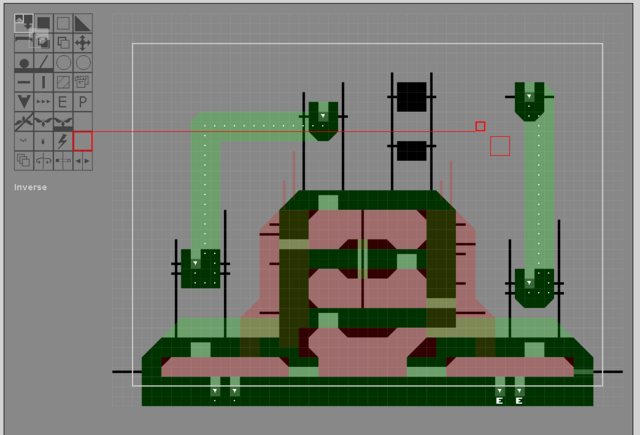
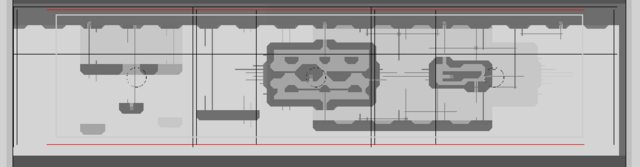
so after a brief (2 hour) crash-course from Joar on the level editor basics, ive been on the world-building warpath. We're looking to be pretty ambitious with the size of the world (200+ rooms? id like to do even more than that), so this is what im going to be staring at for the foreseeable future:


A really significant change in the new unity build is that rooms can now be multiple screens in width or height, which opens up huuuuuuge possibilities for gameplay that i've been mulling over the past few months. We're planning on using them as larger set-piece levels to base regions around for a dramatic effect. But first I have to get my level building chops up and do some tests with multi-screen room implementation.

Here I took inspiration from a level of joar's called  colosseum, and basically just extended it into 2 screens:


The red and black overlay lines indicate the multiple camera positions. in order to format for both 16:9 and 4:3, we're making each level work for both simultaneously. its a little tricky, but hey.


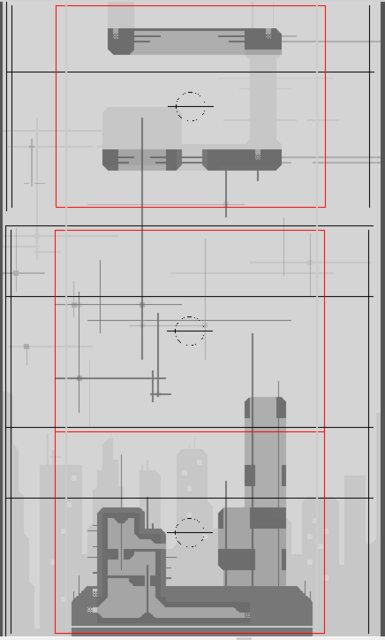
We can also go vertical, as this 3 screen concept that spans from a rooftop into the canopy:


That was one of my first multi-screen tests, so i flubbed the height a little. no matter, camera placement to the rescue.


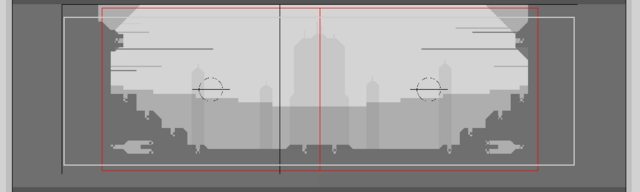
A horizontal 3-screen concept for the underhang region:


This next one is definitely my favorite of the 25(!) i've done so far. A 5-screen set piece concept for the garbage pit region called garbageWastes:


Its a bit hard to make out in such a tiny picture, but imagine each one of those rectangle overlays is a 1600:900 screen. Quite Exciting! Check it out here for a bit more detail: https://i.imgur.com/aYGLNkY.png 

But.... that level broke the editor, so perhaps ill step it down a notch for a bit  Cry


   jamesprimate on October 01, 2014, 09:12:20 PM:

by the end of the kickstarter, joar had around 70 completed levels i think? so thats a pretty fair amount. but a good many of those were multiplayer levels or concepts. the actual knitted-together, navigable world was around... 40 i think? maybe half of those being place-holders

im thinking (ambitiously...) that the game world of the alpha will be about the size of maybe 2 of the 14ish regions planned for the game.

but we shall see! after a few months in the level editor i may have changed my tune  Blink


   JLJac on October 02, 2014, 12:37:29 AM:

@iambored2006 & Christian,
Yeah, it's a sneaker. All the other creatures have a limited FoV, except the player. The idea is that you don't question the player's omniscience as much, as it stems from the weird duality of player/avatar that comes from having a third person perspective. The slugcat is in the world and shouldn't be able to see through walls, but you're looking at it all from the unfathomable third dimension, so you know things you shouldn't know. This is actually the core aspect that makes the game fun as well. You look at the lizards and you see what they do, and can kind of imagine what they might know or think, as you try to play around that. Your ability to see through walls is also pretty much the only leverage you have on the lizards, if they were able to ambush you from behind a corner the game would be virtually impossible. I could easily add a mode where other creatures are invisible if there's not an actual line of sight from your avatar to them, but that would essentially break the core mechanic. It would be extremely scary though hahaha! So it might be fun to try.

Update 319
Made the flies able to move between rooms, and exist in abstract rooms. James and I had a little talk, and decided that bats (yes, I'm using fly and bat every second time) didn't need to be saved as individual creatures in abstract space. There's really never no need to identify one fly from another, a bat is a fly is a bat. Also it seemed ridiculous to save the individual positions of ... idk... 10 000+ flies on the entire world map, especially as they are all moving the entire time. So instead I created a system where they are saved as just numbers, per node in each room.

As always when I've spent the day doing something boring I'm going to try to appease you with saying that it's a generalized system that can be applied to any creature from here on! It's a boring update, but it'll make fun updates be more frequent in the future! We call this system Quantified Creatures, as they are not remembered as individuals but just reduced to their quantity. I think this system can be cool for some small decorative insects and the like as well.

The system supports free movement between rooms, abstract to abstract, abstract to realized, realized to abstract and realized to realized.

One thing this system is capable of doing which I'm looking forward to is to create extremely large migrations through the world map. We have been talking a bit back and forth about whether or not bats should migrate - it might not be a good idea for gameplay reasons. If they don't though, some other creature definitely should. My idea is that I could have huge quantities of the creature moving between abstract rooms, as this would be no harder than just shuffling numbers (minus one in this room, plus one in this room). Then when you move through the rooms and view them one by one, as many of the creatures as the computer is capable of could be shown moving around. You could follow the flock and see them consistently existing in many rooms, moving in the same direction, suggesting an epic world-map-scaled movement with thousands of creatures, even though not all of them are necessarily realized at a time.

James has really been killing it with the level editor 0______o He's been sending me some pretty amazing looking levels. Looking at his levels, I've come to realize that he's way better at composition than I am haha... Look at those hills in the wide one, that's some pretty damn smooth line work for a musician! Still I'll be necessary in the creation of these 200+ (Shocked) rooms, because actually placing the tiles demands knowing them all by heart. So it seems we're zoning in on a setup where James creates the geometry and I decorate it and give it the RW aesthetic. Which seems like a perfect match! But nothing is settled for sure yet, we'll have to see how things develop as we get into the focused world building phase. Until then I should probably fix the level editor so it can output larger levels ...


   JLJac on October 02, 2014, 01:09:40 AM:

I think that in fictional universes, you can't really speak of realism per se. I mean, look at it. But you can talk of in-world consistency. My philosophy is something like this:

* Make simple, understandable rules
* Stick to the rules
* When it's necessary to make an exception, try to
   -Promote the exception to a rule. If the exception is in many places, and consistent, it's not an irregular oddity any more.
   -Demote, minimize and hide the exception. A fallback solution, as it'll always be an exception, but better than nothing.
   -Clump exceptions. Many exceptions in one "weirdness zone" is less jarring than having them everywhere.

So, rain world creatures have certain rules going for them, one of which is inability to see through walls. This applies to all of them. This is a gameplay rule, they have "canon" rules as well, such as that they need to hide in a hole when the rain comes, or aesthetic rules, such as that they consists of several moving parts but few, flat colors.

The player creature is by necessity an oddity, because it's controlled by the player. So I've sort of been gravitating towards making the player creature an exception cluster. The ability to see through walls is one of those exceptions.

Then there's other stuff as well, such as aesthetic choices, I wouldn't want the sprites to pop or fade into existence when you see them, as I try to keep HUD and game graphics as separate as possible - essentially my goal is that everything you look at should either be very clearly an object that *is there* in the physical game world, or something that is extremely clearly a HUD overlay which is not in the world (promoting the exception to rule and clustering it). So these kinds of decisions have developed together with gameplay decisions into what I'm thinking of as the current design idea.

And simplicity has a certain weight as well! If the simplest, default mechanic of a 2D game is that you can see everything on the screen, that should be a slight bias to keeping it like that as well, in my opinion. Otherwise you're adding stuff, and whenever you're adding stuff you need to be careful that it's stylistically in line with everything else.

Sorry it got a bit long! I'm not defensive against your question, I just like to talk about this stuff Smiley


   JLJac on October 02, 2014, 06:25:38 PM:

Update 320
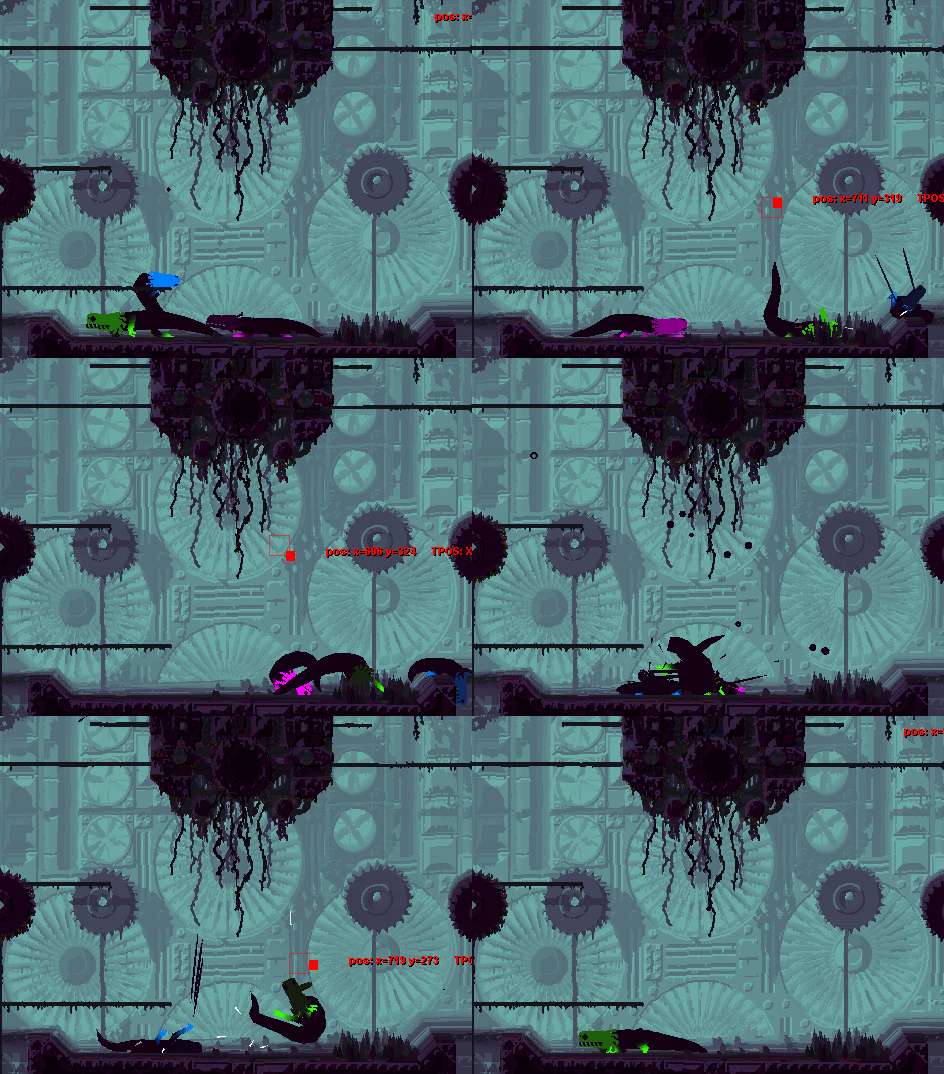
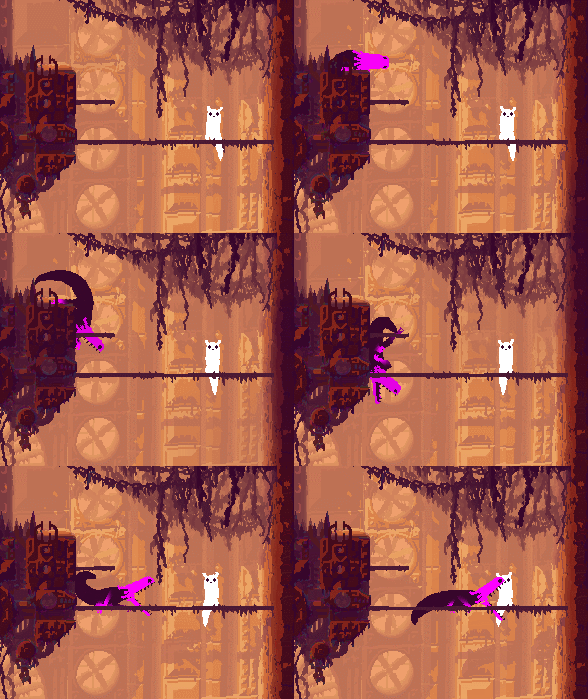
Finally we went through and got the Unity pro license, and now for the first time I've been able to see the new animated creatures together with the backgrounds!


This is just a very first look, still a lot to do, so I might come back in the evening with a more detailed update. Just thought you guys were so starved of visual stuff that you might appreciate seeing that the graphics are starting to come together.


   jamesprimate on October 02, 2014, 06:36:29 PM:

Update 320
Finally we went through and got the Unity pro license, and now for the first time I've been able to see the new animated creatures together with the backgrounds!


This is just a very first look, still a lot to do, so I might come back in the evening with a more detailed update. Just thought you guys were so starved of visual stuff that you might appreciate seeing that the graphics are starting to come together.

LOOKS

ABSOLUTELY

INCREDIBLE

 Tears of Joy


   JLJac on October 03, 2014, 06:56:09 PM:

Thanks thanks thanks!

Update 321

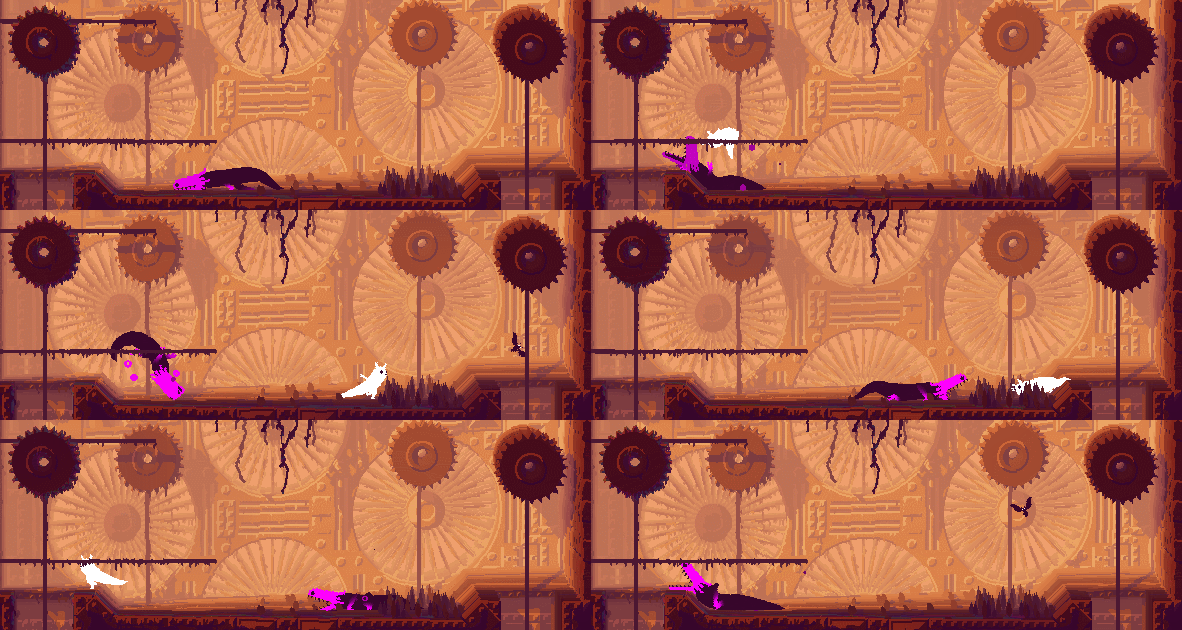
The old lizard bubbles are back in:


I also made a few impact effects, such as little water droplets. When I grab the lizards with the mouse and smash them in the ground (don't worry, these stunts were performed by trained professionals) there's really a lot of water, that's because the mouse movement impact speed is much greater than most in-game scenarios, and because there are three of them at the same spot. To get a feeling for what it actually looks like most of the time, take a look at when they impact the ground from natural falling.


And one extra, for hilarity. I had forgotten that I had activated grabbing other creatures when I introduced the bats, so when playing with some lizards I accidentally pressed the wrong button and.... Hahaha this looks too funny! Just grabs the bastard by the throat like it's nothing!


I don't think that the actual game will have the ability to grab lizards, and if it will, it will definitely be factored in that the lizard weights more - in this gif the lizard is just moved to where the player is, meaning it essentially has 0 mass. Also if the game was finished the lizard would bite you if you attempted this. So rest assured, there won't be anything that looks like this ridiculous scenario in the actual game, I just wanted to show it to you because it looked funny.


   JLJac on October 04, 2014, 02:19:26 AM:

No real world equivalent really - sometimes I think of it as smoke, but mostly as bubbles. They're also similar to the emotional signifiers you might see in cartoons or anime (lines, squiggles, signs) except they do have some sort of physical presence. You know how some animated characters has some feature that is physically there, but is used mostly to convey emotion (the one that comes to mind is hades' fire in disney's hercules), something like that. It's a mystery Smiley


   jamesprimate on October 04, 2014, 08:30:38 AM:

oh wow that direct comparison is really nice! everything looks pitch perfect, just BETTER. smoother, cleaner, deeper. really really freaking impressive considering the huuuuuuuuuge amount of things that have changed under the hood.