—    —  Home

   JLJac on August 25, 2014, 08:44:13 AM:

Update 296
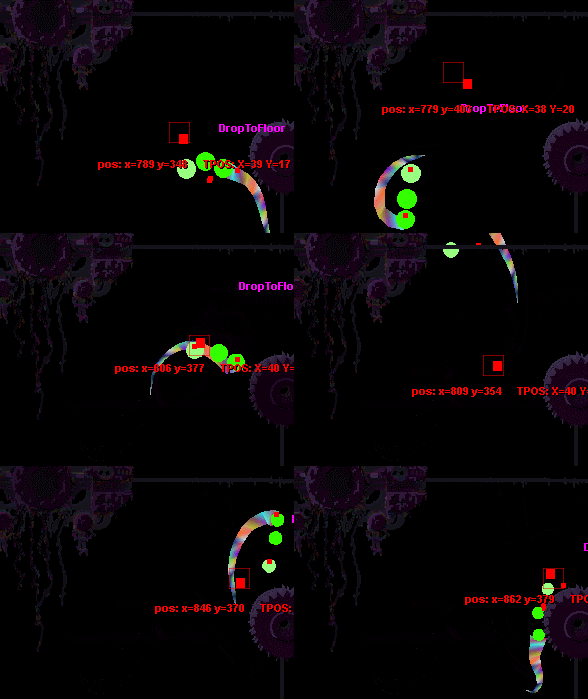
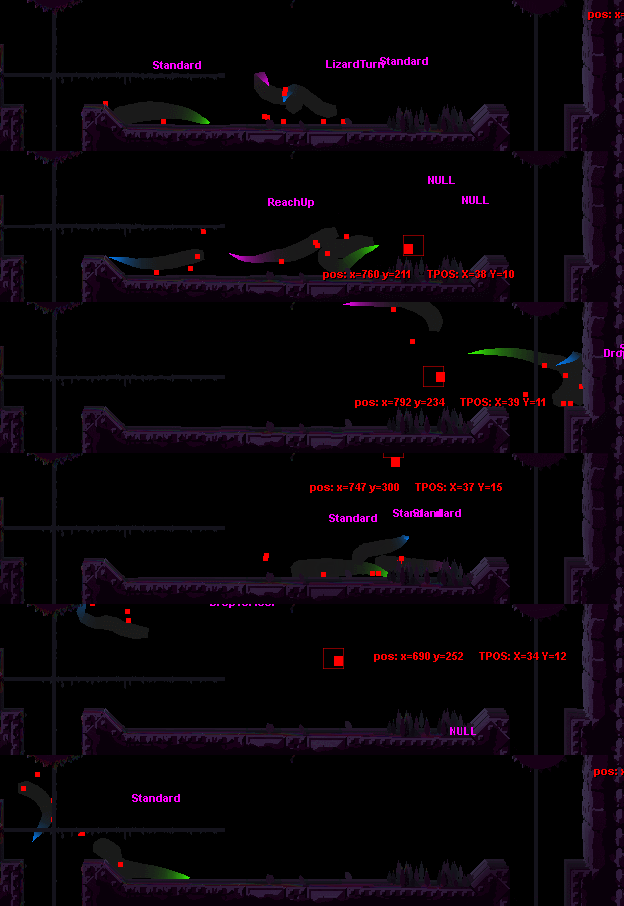
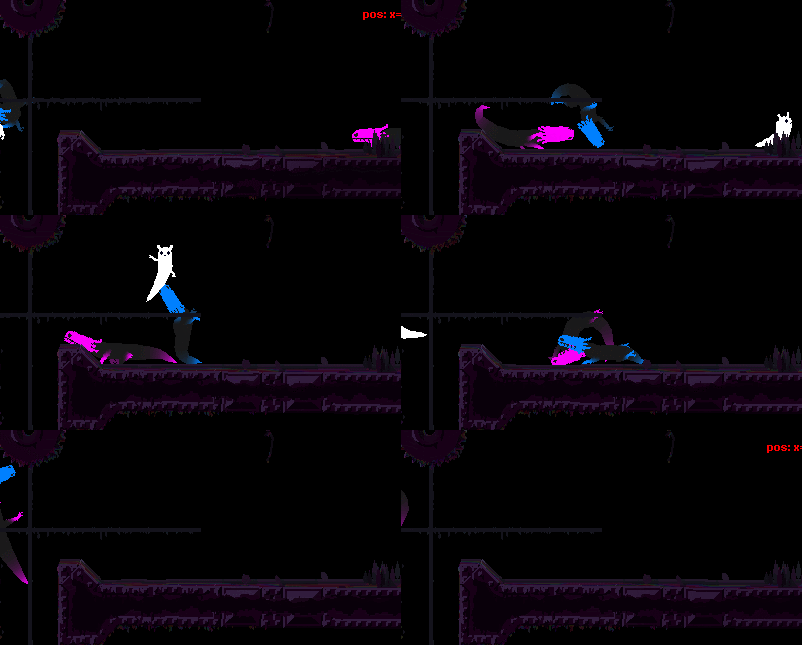
Got a triangle mesh up and running for the lizard's tail. It's based on the player's tail, and was thus somewhat painless to get working. Paving the road has finally started to pay off. Also added a new function to my triangle mesh class - vertex coloration.


Because I've assigned color to the vertices, and the idea of this object is that triangles can share vertices, there are no sharp edges in the shape and the colors are stretched and bent like supposed to. When bent at very sharp angles you can see some edges, but I think it's acceptable for now.

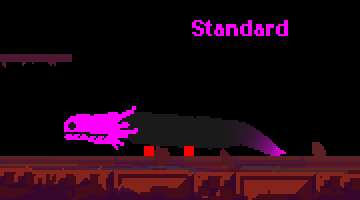
I've also created a body for the lizard, which works similarly but also uses circular graphics as well. Basically it's a circle at each body segment with stretchable quads connecting them, expect it's not because there are also intermediary circles between the segments to smoothen the curve, and the very first segment is only rendered as a little stub because this is where the head is going to be.

The color might be a bit dark against the balck background - my monitor is brighter than most - but if you look at it at an angle you'll probably be able to see something  Tongue


A little slow motion and tossing around in there as well to show how the tails behave. I don't think all lizards will have colored tails like this - I kind of like the black tail - but maybe one or two might have something like it.


   jamesprimate on August 25, 2014, 09:10:13 AM:

oh wow those look absolutely incredible. the black gradient has is very "deadly creature" feel to it, like a poisonous frog or snake. If you dont use that coloration for all the lizards (i vote for that), then perhaps as a distinction for the larger "adult" versions of each breed.


   JLJac on August 26, 2014, 10:00:19 AM:

oh wow those look absolutely incredible. the black gradient has is very "deadly creature" feel to it, like a poisonous frog or snake. If you dont use that coloration for all the lizards (i vote for that), then perhaps as a distinction for the larger "adult" versions of each breed.
Haha if you think so, we can keep it! But then I don't know about the little fin the blue one used to have, maybe we'll have to come up with something else there...

Those are so smooth...and terrifying. Loving the faint 3D effect when the tails change direction, even if unintentional. It's unbelievable how much you can do in a day.
Thanks! Yeah, I like that effect too - it's just a side effect of the tail triangles having been added root to tip - the brighter tip segments are rendered on top.

Tails look amazingly fluid. So are we going to have some

stalking action going on? Because that would be terrifying to think you're safe, only for the scenery rustle and see the tails flick around and then disappear again
That exact scenario can hardly be recreated in our sidescroller view, but we could definitely have them hiding in vegetation at times, with only the tail spottable!

Update 297
Spent most of the work day on a train, which doesn't lend itself well to graphics work as I can't use the mouse - instead I did some re-structuring in the creature templates and other less exciting stuff. I also made a few changes to the lizards, moving all of their behavior to a new method call that's only called from the main update call if the creature is neither dead nor stunned - in those cases it'll just lie limp. Got the limbs' deactivation behavior respond to that as well, making the whole creature relax when stunned.

When getting home I did get around to converting some sprite sheets though, and now I have most of the head graphics over in the Unity version. I've managed to implement head rotation, but not really any other behavior - it's still just staring straight forward with a dead gaze. I will be able to animate what the jaw looks like when opened and closed etc, but having the creature actually do these things by itself is for when I'm writing the AI.


The head consists of 5 sprites - the eyes, the head, the teeth in the upper jaw, the teeth in the lower jaw and the lower jaw itself. I'm happy to see all of these align, one worry was that there would be little gaps between them at places. When the lizard bites a creature, that creature is supposed to be displayed below some of those sprites, and above others, to make it look like it's stuck between the jaws. I still haven't figured out how to make that happen technically. One idea is that each lizard could have its own sprite container (similar to a movie script in flash) between its jaws, where all the sprites of the bitten creature could be moved. But when to move them there? You don't want the jaws to snap shut and then have the lower jaw blink and disappear behind the bitten creature...


   JLJac on August 27, 2014, 11:37:40 AM:

Always and for ever Grin

Update 298
Did a lot of work on the head today - made it so that it can look at an arbitrary point in space that isn't necessarily the pathing target or straight forward, made it so that the head can collide with terrain, and got the jaw opening motion down. Many of these animation quirks are based on values defined in the breed object, meaning that the different breeds will have subtle differences in how they move. Still not happy enough with the head to call it done, but it's good enough until I have the rest of the creature animated and can get to the polish phase.

I also ported the lizard leg sprite sheet for the unity build, and have been fighting with some pretty ... interesting animation.


What do you say guys, still not really there yet?  Cheesy

At the end of the day it looked a little bit more civil:


But the legs still need a lot of work. A dirty secret of my trade here is that the legs never really have looked substantially better than this, but the fact that everything is merged into a flat-color silhouette has really helped obscure some of the worst part (the joints where the legs connect to the body) while bringing forward the better parts (the tips of the limbs). I'll keep working with it until I find it acceptable with the legs visible like this though, and hopefully it will all look really cool when the final coloration is in.

One thing I've started to notice is that the lizards probably take too small steps, this tip-toeing doesn't really look very menacing. This problem is in the "search for a grab point" code though, which is a pretty messy chunk of logic, so that will take some deep diving to sort out.


   jamesprimate on August 27, 2014, 11:52:57 AM:

Quote

well now THATS disturbing! quite Giger-esque. motions look great though!


   JLJac on August 28, 2014, 08:28:20 AM:

I'm working on it - it's going to drop your jaw when it's done  Who, Me?

Update 299
Not all days can be good days, and today certainly wasn't. As you can see from the earlier gifs, the steps the lizards take are too small. I set out to do something about that.

I identified the problem to be this; when the foot decides that it is trailing too far behind it looks for a new grip position. It finds one that is a good choice at the time, a grip in the terrain somewhere in front of it in the traveling direction.

The problem is that it takes a little time for the foot to travel there. When it gets there, some five frames or such later, the entire body has moved forward. Suddenly this spot isn't in front of the body at all, but right beneath it. The fact that the limbs never really get in front of where they are connected to the body makes it so that they trail behind, and look like they are being dragged rather than the source of locomotion.

My idea for a solution has been that they should have another phase except from just gripping and moving towards a new grip. This phase would be the "catching up" phase. When the limb trails behind, it shouldn't immediately look for a new place to go, first it should just focus on moving forward. When it catches up with where it's connected to the body, then it should look for somewhere to grip in front of it.

This looked very promising to begin with. The lizards stopped the tip-toeing and dragging their legs behind them, and took long, menacing, sneaky strides. Then a bunch of problems started to show up.

It only really worked on flat floors, in more complex terrain the limbs would reach for places they weren't actually able to reach. Upon closer inspection I noticed this also happened on the flat floors at times. If all the limbs were synced they'd all reach forward, but with no limbs used for locomotion they wouldn't ever get there, and the lizard would just lie there pathetically stretching all four feet towards some destination it's never going to get to. The same could happen when the direction changes, when the lizard got out of stunned mode, etc etc.

I've tried so many workarounds. The most immediate idea was to have the limbs reach far only when the lizard is moving fast, but closer the slower it moves. This worked OK, but with bad timing all limbs could still reach far at the same time, and there it would lie twitching on the floor. I tried a lot of other stuff, such as basing reach distance on how many other limbs are currently connected, and so on and so on.

You might think "only accept reach destinations that are actually within reach!" but it's not quite as easy as that. When the reach destination is determined, the body is in another place than where it will be when the foot actually touches ground. The only solution I can come up with on the go is some very sophisticated algorithm that first chooses a preliminary reaching position, and when trying and failing to reach that re-evaluates to the closest valid position...

Didn't crack this nut today o_____0 Remember kids, procedural animation isn't only fun and games! Take heed!


   JLJac on August 28, 2014, 09:42:09 AM:

That was the idea, and it worked! But what if the body doesn't get there? Because the whole creature decides to turn around and go the other direction, or because all four limbs aim for the sky simultaneously, none of them get a grip, and the whole thing just ends up on its belly, reaching for a future that will never come?

I think there is a solution in having it re-evaluate if it ends up in a position where it is stretching but not reaching, and the second time around only consider strictly valid grasping points... But I'll have to let it simmer around a bit until I can come up with a way of turning it into actual code.


   JLJac on August 29, 2014, 09:01:44 AM:

Thanks for the awesome input guys!

@Christian, that's a good idea. The problem is that the tracker is on another scale, it operates tile by tile, while the feet are pixel by pixel. Also the lizard knows where it is going most of the time (forward) but in some scenarios such as turning around the prediction turns out wrong - it can try to predict, but it can't see the future!

@Gimym JIMBERT, as always, thanks a thousand times for the interesting resources!

@Lee, wow! That's awesome! Actually what you describe seems rather close to what I have, except that you describe some kind of "overmind" controlling all the four limbs, making sure that they move cross-wise etc. In my solution the limbs are more autonomous, which has good parts and bad parts. The good part is that they are less static - they don't need permisson to move, making the movement less of an "animation" and more intelligent. The bad part is that they're not intelligent, and I end up with stupid bugs. I actually implemented something similar to your solution, but instead of placing it in a coordinator object I connected the feet into pairs and enabled them to know some stuff about their partner, changing their behavior depending on what the partner is up to.

Update 300
Ok, so I haven't really had a huge break through, but I've moved forward through blood sweat and tears instead. The new solution has many little mechanics in it, but the core difference is this: The first time a limb tries to find a reach position, it reaches too far in front of itself, to where it expects the body to be in the next couple of frames. If the body does catch up and the position actually becomes reachable, all is good, it goes there and grabs the terrain.

If the lizard changes direction or some other weirdness however, so the target never becomes reachable, a counter starts to tick. Every frame that the reach target is outside of the limb's reach this counter increases. When it reaches a certain number (I used 15 frames) the limb decides that OK, this target is probably not going to be within reach, ever. It then tries to find a new target, this time playing it super safe, only going for terrain that is strictly within reach.

On top of this other systems are implemented to smoothen the walk cycle. One such is that if every limb is grabbing terrain, the one that has been doing so the longest will automatically let go and go find a new target. This keeps all four limbs from syncing up in the same cycle of grabbing and moving.

Another one is that the front limbs and hind limbs are connected into pairs. Or rather, one of them is aware of the other. The one hind leg that knows about the other hind leg will try to be at the opposite of the other's cycle, and the same for the front legs.

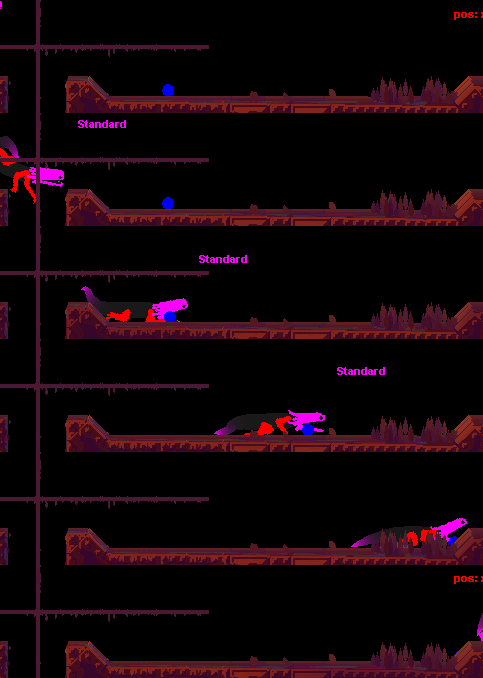
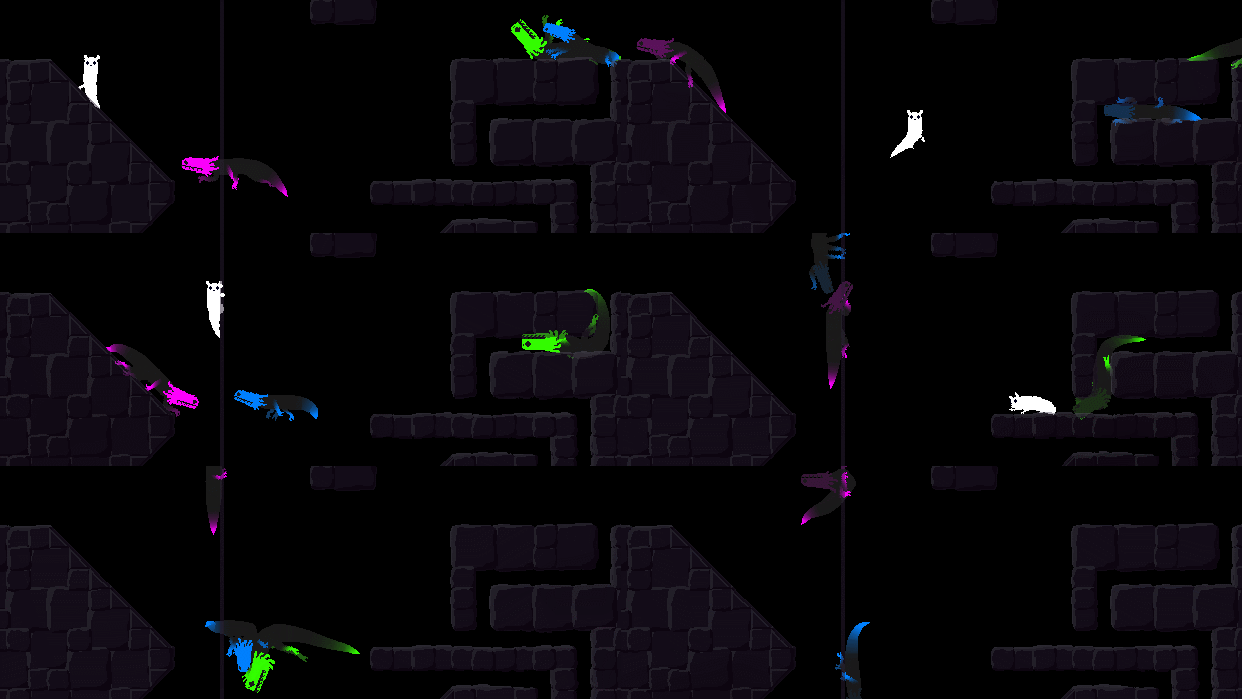
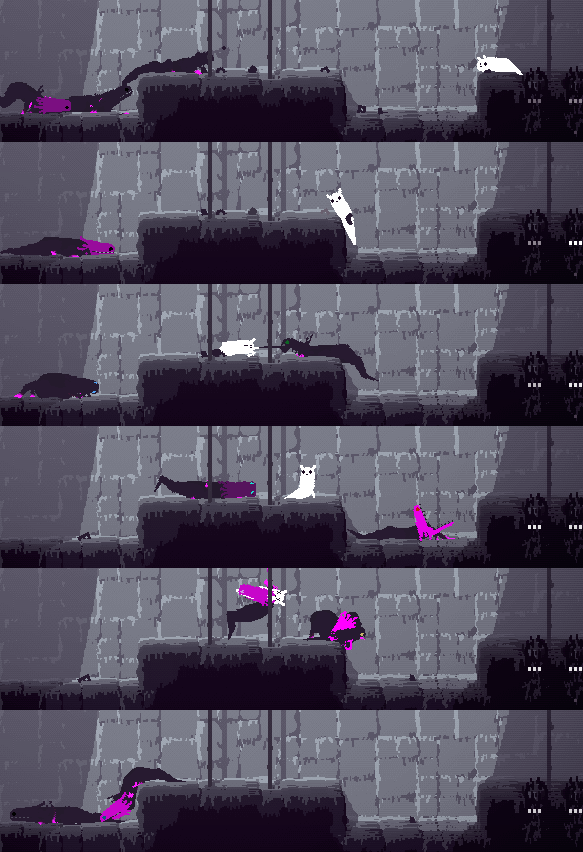
Slow motion of pink lizard moving (and looking up, I have my mouse pointer up there):
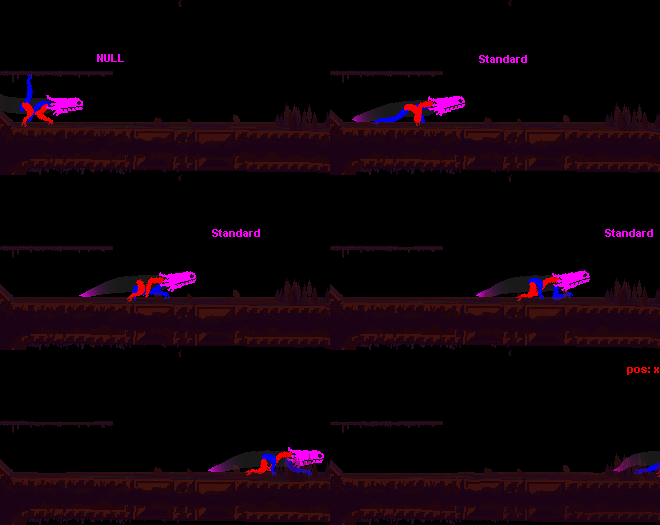


The steps are longer, and the movement is smoother. There are still problems in more complex terrain though, but I feel this is a good start.

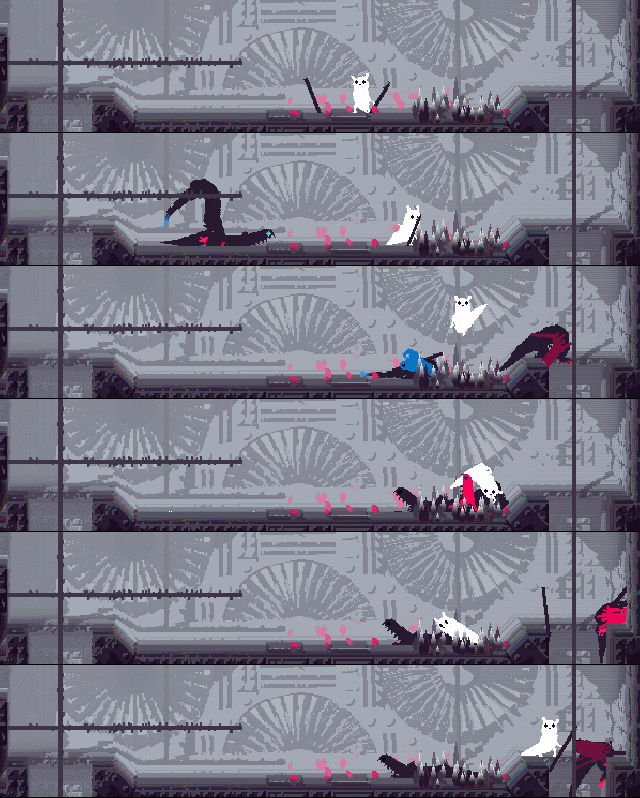
For the green lizard I don't want the movement to be smooth, and have allowed the limbs to sync up:
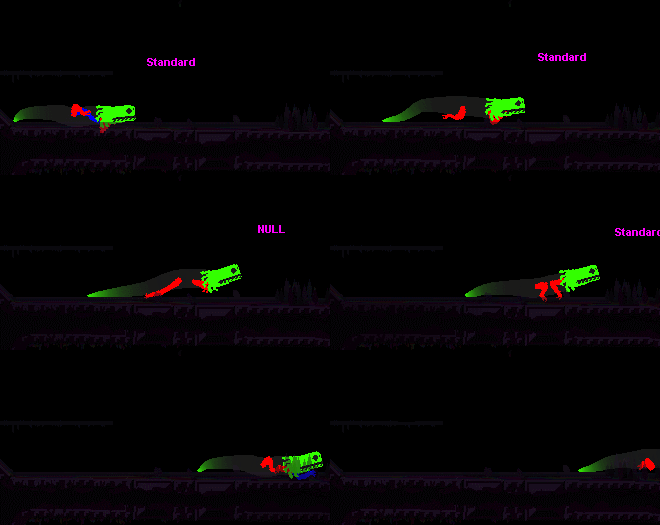


I'm still not entirely happy with it though. The legs should move at the same time, but not sync up so perfectly. I'll look into making them have just slightly different grabbing targets. Also the foot should obviously not move above the hip making the leg turn like a wheel.

The blue lizard takes smaller steps. It looks kind of strange now because the limbs are as big as those of the others - that'll become more proportional once I get the movement down.
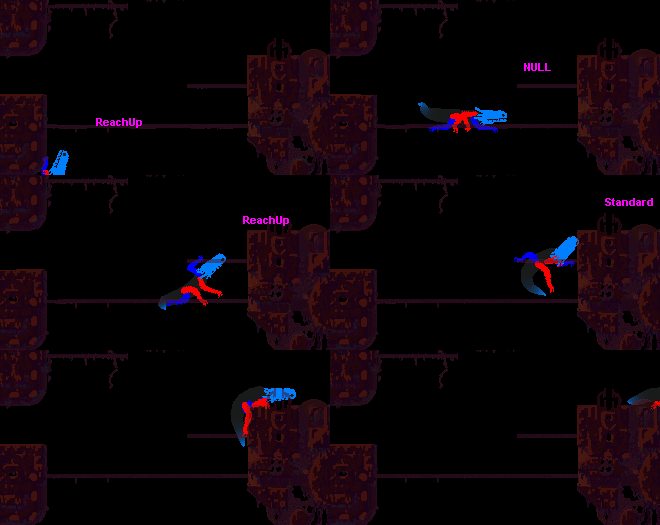


In 2D terrain that isn't just a flat floor many of the problems become evident. The limbs have a bit of flailing, and some hesitation when they try to reach for terrain but fail and change their minds. For these specific climbing scenarios the limb movement actually looked better before I made the changes, so I'm contemplating making some kind of differentiation between floor crawling and climbing and using different systems for limb movement depending on the situation.

Hahaha and also, I've finally encountered the backside of inheritance! All this messing around with the limb code has somehow made the poor slugcat's arms disappear! Don't worry though, all the code I wrote is intact, so getting them back again will probably be a quick fix Smiley

Getting there!


Another thing!
Monday I'm going to do some serious relocating of myself to way over in Seoul! The idea is that I should get to work as quickly as possible, but there will probably be a lack of updates at the beginning of next week. Travelling will take something like a day and a half in itself, then comes being jetlagged, re-adjusting, finding somewhere to sit and work, etc etc. But by the end of next week I hope to be back in business!

안녕히가세요!



   JLJac on September 04, 2014, 01:15:59 AM:

안녕! I'm arrived in Seoul, and spending my time trying to sleep during the night and not sleep during the day, both of which are easier said than done. But I think I'm getting there. I've also been (sleep)walking around my new neighborhood, and checked out where there might be some starbucks or something that could be suitable to sit and work. Other events include realizing that any small bit of Korean I might have ever known is now gone, so getting food at a restaurant is a sort of culinary Russian Roulette. Actually every interaction is like a sort of Russian Roulette if the only two words you know are "Yes" and "No" and you're just trying to sprinkle them somewhat evenly throughout the conversation. My landlady seems somewhat annoyed with me, but as I have a very dim idea of what she's actually saying I don't know for sure. Tomorrow I hope to have an actual update for you guys!

@Lee, hm, OK, I think I get it now. But wouldn't this mechanic mainly be about smoothing the leg movement? Smooth leg movement is not really my main concern here, rather the opposite - if the legs are too smooth the lizard will just look like it's floating with the legs tapping along under it. Some unevenness to the grabbing cycles is not really a bad thing. Rather my main concern is to make the steps as long as possible, and considering that, wouldn't a steering system like this only allow for the steps to be shorter? Like, to get the longest possible steps I should only let go when the leg is positively too far behind, giving up a grip any earlier than that would just make the step shorter, right?


   jamesprimate on September 04, 2014, 01:29:41 AM:

yay! jac's back! ...in a starbucks  Coffee


   JLJac on September 05, 2014, 04:09:57 AM:

"keep updating" seemed to be the key, actually Smiley

Update 301
Ok, so I think I found a solution on the leg AI problem, and it was rather obvious and sitting there all the time. The solution was to keep looking for a grab spot every frame when the leg is lifted. That way it will start moving towards some place rather close to itself, and thus too far back, but as it approach it other more progressed spots will become accessible, until it's stretched all the way forward and can evaluate grab spots that are in front of the lizard. When it finally reaches a grab spot, it goes into grab mode and just relaxes until it's too far behind again. I don't quite know why every iteration of this solution I came up with had just one or a few checks for grab spots, when continuous reevaluation seemed to be the trick.

In other news I've colored the paws of the lizards, and made the leg size change according to breed:


I don't know if you can notice, but the pair of legs that are further away from the camera are slightly darker, I hope that this slight color difference will make it appear a little less like a flurry of color and make it possible to at least get glimpses of the leg movement.

The mystery of the slugcat's disappearing arms has also come to a conclusion. At one time or another when doing the lizards I told all limbs to go into retract mode when the creature enters a short cut, so that was what happened to the slugcat as well, only that the slugcat didn't have any way of un-retracting them.


   jamesprimate on September 06, 2014, 08:20:23 PM:

I hate to be a naysayer but I'm personally not digging those gradients in the lizard tails. The lizards used to have a cel shaded look to them, but now there's a sort of roundness to them that appears to be a sort of faux-3D. Compared to the rest of the world, it looks a little out of place. Maybe it'll grow on me, but it is a stark contrast to the rest of RW's aesthetics.

idk if you recall how the level art is made, but "faux 3D" describes it almost perfectly, so hopefully this actually moves to tie everything together! but I suppose we'll find out. we're still missing a few subtle components so it feels a bit "off", but i think once Joar gets the lizard head blinking / color shifting weirdness happening, it's all going to fit right in  Hand Thumbs Up Left


   JLJac on September 07, 2014, 03:25:01 PM:

I noticed when climbing against the wall, two of the legs are still shaded, despite both being on the same "plane". Is that intentional?
Nope, thanks for the heads up. Know what it is, getting at it.

On tail gradients, James and I have actually had a brief discussion ourselves on that - I tend to agree with you in that it looks a bit too... Idk, computer-y. A bit too perfect, perhaps. James is fond of it, and I can totally see its potential though, so maybe with a bit of tweaking! I don't know if you've noticed, but the art restrictions I'm keeping to is single color flat surfaces but with occasional gradients in the surfaces - never between two "mundane" colors (black, brown, whatever the level geometry is), but between a "mundane" color and an "effect" color (neon colors such as pink). So the gradient is technically within the restrictions, as are the colored feet. But I see your point - it does look a little bit different from the gradient in for example the plants, which is created with a mask. Let's see where it ends up! Right now I'm just constructing all the pieces, there'll be plenty of re-adjusting and tuning later.


   JLJac on September 08, 2014, 04:02:32 AM:

Update 302
Did some misc animation work, including the infamous blinking head! I cleaned up some of the limb movement further, made sure that green's shoulders didn't stick out through its back, hunted some bug in the obstacle tracker, etc. One new animation available to the lizard now is "wiggle", where the body wiggles back and forth. It'll do this when it's stuck somewhere, and also when it has no limbs at all to move with, in which case the wiggle animation makes it slide along the floor in an inch-worm like movement.

The big achievement of the day was setting up Visual Studio with Unity and UnityVS. After some tears and pulled hair James and I got it to work, and now I've been debugging the Unity project from VS, so it's all up and running!

In James related news the last batch of songs/music experiments he sent me contained one track that was super cool - we felt that it represented an entire style that we'd like to explore further. Maybe when he has dug a little deeper in that direction we he'll want to share some of it. It's really something else!

I've been looking at my poor little lizards, and noticed that they have some locomotion problems. In particular the green one. After the limb work of last week I feel happy enough with how the movement looks, especially if I compare with the lingo version I realize that they do feel like they have a more physical presence this time around. The problem is not in the aesthetics, but rather in the actual physics of movement. They fail at some moves they should succeed at, they get stuck way too much, sometimes they're strangely unable to move in narrow corridors. I probably need to take a long boring day to just clean this stuff up, identifying the problems one by one and doing something about them. I want my standard lizard to navigate its environment competently, any incompetence should be added by hand in a controlled manner. Let's just hope that the problems are in the movement physics, and don't have roots in the path finder 0________0


   JLJac on September 09, 2014, 03:30:03 AM:

Update 303
Cleaning up in the lizard movement wasn't as bad as I expected it to be. I'm perhaps not done, but I got some of the worst issues out of the way, and now all (as so far 3) breeds of lizards move with more ease through the environments.

On popular demand I gave the tail gradients some attention.

just my thoughts on the tails: why not try a shader that just clamps the gradient by threshold (that makes sense right) so you maintain a gradient over the curve of the tail, but it keeps the chunky look.
This I don't get exactly what you mean by? A shader that makes the gradient "banded" with fewer colors? Or a shader that draws the gradient as a circular gradient using the shape of the tail as a mask?

Catching up with this ever-growing devlog is hard! Congrats on that!

Was going to mention the tail´s gradients looking off to me, when I found there were already comments on that.
On the other hand, the gradients on the paws looks great to me, maybe if you just shorten the tail gradient´s span / make it exponential? I can sure see them being fully neon for a couple more pixels at the tip, and then getting to the base color on a more abrupt way, that would be also more consistent with the paws. (Or of course, keep them as you are, since it´s both your game AND awesome.)
Haha I can imagine! Hope it was fun or informative  Cheesy It already is exponential in the old gifs actually, ^3 or ^4 I think.  Shortening the span though was a good idea, tried it out and it did look better! The paws are painted with the photoshop brush, which I believe is a gauss curve. Maybe I should calculate one of those... Seems overkill though!

In the end I restricted the gradient to not cover the entire tail (a little different how much it covers depending on breed), kept it exponential, and also added just a little bit of random noise to the gradient, especially towards the intermediary colors, hoping to approach the slightly grittier look of the photoshop brush painted paws.


And blinking heads! The frequency depends on an excitement parameter in the AI, so you'll be able to see if they're idle or up to something by how fast they're pulsing. Instead of just a sine pulse, this time it's a sine where 0<y<1 but raised to an exponent, making it so that it does drop to 0, but it's at high values more than it's at low ones. This exponent also gets bigger with excitement, meaning that when they're very calm/almost sleeping the head is dark about as much as it's bright, but if they're very excited the head is mostly lit with just quick pulses of black color. I'll do a comparison some time when there's more AI to work with. Right now they're locked at 50% excitement. Basically I figured that it's more fun to look at color than something dark, and this way I could make them more colorful while keeping the iconic blinking.

Oh, and the other effort of the day was making lizards able to handle slopes - the one part of them that had been shamefully neglected. When I was at it I also made the "grab for terrain" method of the limb object understand slopes, so now the player will also grab at them correctly when crawling.

Last for today, I'm asking for some programming advice.

Path finding towards a target is relatively easy. Basically flood fill outwards from the goal, when the fill reaches the player, keep going "downhill" node by node until the goal is reached.

As I'm closing in on it, I've come to realize that "path finding" in order to flee is probably much, much harder. If you just turn your back at the thing you're fleeing from and leg it you will inevitably end up running in a corner, and you're an easy snack. If you path towards the closest room exit or something like that, that path might very well take you straight into the arms of your pursuer. And also, how do you know that you even want to go to the other room? If it's a dead end you're in a worse pinch when you get there and the pursuer comes after you. And all of this is still just considering one pursuer, if there are two of them and you for example only flee from the closest one, you might very well end up flickering between fleeing from one and the other, and end up eaten by both.

Are there any special tricks for fleeing AI behavior?

I did have a pretty solid algorithm for the flies in the old build, but it was very dependent on they being able to go somewhere you weren't (down in the ground), they weren't as much fleeing from you as to the best located refuge. Are there any solid algorithms out there? Do they all depend on managing ridiculously expensive "danger maps" where every tile's distance to every threat is mapped and need to be re-calculated pretty much every frame?


   jamesprimate on September 09, 2014, 11:29:08 AM:

ohhhhh, the "cornered state" suggestion from that second link sounds SO right to me:

Quote
One thing I've done in the past is add a cornered state to the enemy. Put yourself in the shoes of the fleeing enemy. It is scared, it is hurt, it is fleeing and trying to just get away! Perfect mindset to get yourself cornered, which can be really fun for the player.

Once cornered, the enemy can do different things, ideally depending on the personality of the enemy itself:

They can cower and duck into the corner and wait for death. Only really works if you can convey those emotions. A single-character rogue-like enemy probably can't convey that without text or something. From here, the player could decide to leave the enemy alone, showing compassion. Could be really neat if the enemy then becomes passive. Or if healed, even become an ally of the player.
They could go into a blind rage and launch a last-ditch attack against the player, or unleash some kind of escape spell or skill; such as a squid squirting ink, or a lizard playing dead.
These are really more interesting than avoiding the corner in the first place. And are probably faster to compute, which will let you spend those cycles elsewhere.

https://gamedev.stackexchange.com/questions/16600/how-to-prevent-fleeing-monster-from-backing-himself-into-a-dead-end


   JLJac on September 10, 2014, 03:24:40 AM:

@Gimym JIMBERT, Thanks for links! Yeah, a mix of those solutions is basically what I've been thinking about as well. Just wanted to make sure that there wasn't a super obvious go-to solution I was missing here!

Update 304
Today was spent in thinking mode.


I've been able to outline a few methods for keeping distance from threats - I think I could make something work that would be an approximation of an occupancy map setup. Creatures can't share these, as they all have different ideas of where all the other creatures are, so they'd have to be rather optimized as many creature might be updating them often. My idea is some sort of heuristic version that for the most part just uses 2D distance (getting away to the other end of the map is rarely a bad idea) but very close to the creature can overlay this with a small dijkstra map for some smarter behavior when it comes to walls.

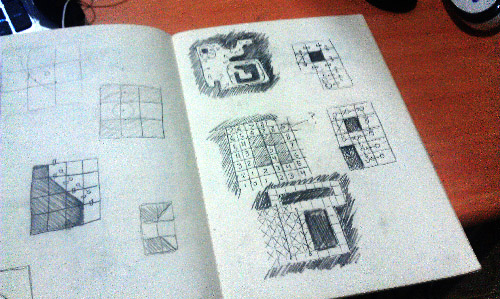
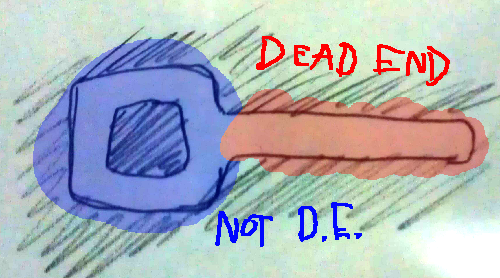
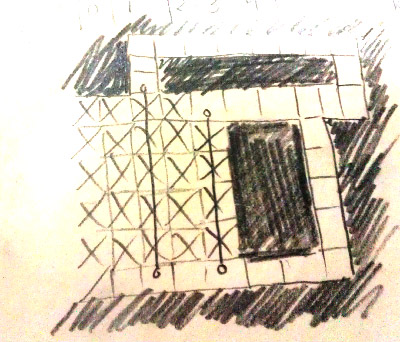
The main issue though is the question of how to avoid dead ends and corners. I think this is going to be the main factor in whether or not the behavior will look decently intelligent - running straight into the closest corner is going to look dumb. After some contemplation I came up with this: What is a dead end? It is not a loop. A loop in this case being a group of allowed tiles that encircles a group of unallowed tiles.


A real scenario might not be as black and white as this, for example I don't think most people would consider a big open room a "dead end". But let's not give any benefits of doubt here - for simplicity, let's write off everything not a loop as a dead end. The purpose will still be served - if you can get to one of these loops, you will at least have the benefit of being able to run away for ever rather than ending up with nowhere to go.

Especially places where many loops intersect would be attractive in a fleeing scenario. Imagine the center point in the character "8". That's two loops intersecting - if you're a paranoid creature fleeing from foes and you're in an 8-shaped room, you'd probably default to that center point where you have the most options for escape to pick from, right?

So, how do I find loops? The first thing I though was that I'd identify every continuous blob of unallowed tiles using connected component labeling.

When I'd found every such shape, I'd let all of them grow at an even pace into the allowed tiles, until they hit each other. Those edges would be the loops.


I was really enthusiastic about this approach for a while, but then I realized that my path finding map isn't that simple. For example I have connections that are valid one way but not the other, and connections that takes the creature across unallowed tiles, messing up the blob integrity completely. These shapes of unallowed tiles probably could be defined still, but they'd be multi-dimensional objects that I wouldn't have a chance against.


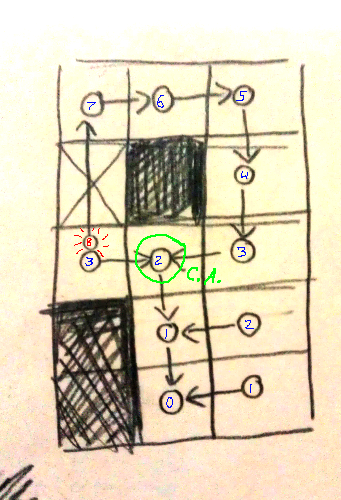
So what I'm thinking about now is a slightly different approach. I'll map the allowed areas instead, using a dijkstra's algorithm-like method (essentially a flood fill where you keep track of where each tile was filled from).

When filling the tiles, if I encounter a tile that's already filled, I do a common ancestor check. As all the tiles are filled from one original tile, and the dijkstra method keeps track of the "parent" of each new filled tile, you essentially have an ancestry tree. If I'm in one branch of that tree, and collide with another branch, I can check how far back these branches have a common ancestor. If that's not long ago, they are basically siblings, part of the same "frontier" filling in an area. If their ancestor is far back though, that means that we have a loop!

By moving from the collision point to the common ancestor through both branches, the loop can be identified tile by tile.


What do you think? Is it going to fail for some obvious reason?


   jamesprimate on September 10, 2014, 06:00:00 AM (Last Edit: September 10, 2014, 06:49:23 AM):

Hi Joar, one of the backers here. I have been following these updates with a lot of interest in lurker mode. Blinking heads, however, have made me come out of hiding and register just to say "no, please, don't".  No No NO

Seriously, this looks bad and takes away all the credibility these creatures might have. Instead of thinking animals I'm now thinking blinking robots.

whoa hey! thanks for the feedback! its legit awesome that you are passionate enough about the project to not only read the devblog, but actually SIGN UP FOR TIGSOURCE too. i appreciate it!

this isnt a change however, the lizards have pretty much always had blinking heads (as far back as 2 years ago!) and they are shown as such in all the kickstarter materials:


http://youtu.be/dVXfrSLeLNo?t=30s


http://youtu.be/XvMZNVCmd_o?t=44s

so too late to turn back now Cheesy

it may look out of place a bit in the gif you are talking about, since they are being shown in debug mode without level backgrounds or environments or the behavioral AI that dictates the blinking, but we still have a ways to go with them yet. give us some time, they'll look as good as the lingo ones i promise. right now were just happy to have them running around the screen with their heads attached ;]


   jamesprimate on September 10, 2014, 01:20:46 PM:

its all good! and seriously, thanks for your opinions. something is making it stick out for you guys to notice the difference, so we'll be sure to scrutinize it further now that you've brought it to our attention  Toast Left

Joar is all wrapped up in fleeing AI, so this might be on the back burner for a bit, but I stared at these gifs for a while, and here are some thoughts:

* i think, sadly, everybody else is right and the tail gradients probably have to go. i got attached to them while they were just TAILS (no heads), but i have a suspicion that the visual contrast between them and the blinking head is probably one of the reasons its not sitting right with people. it just looks funky. (im sure we can use that trick on another creature to great effect though!)

* the new bodies really need to be lowered closer to the ground. they just lack that threatening sneakiness of the lingo. Seeing both pairs of legs for the walking animation also probably contributes to the visual color noise similar to above. And the droopy tail that results from the taller stance just doesnt feel "predator" at all.

* also reduce the size or amount of color on the feet to further eliminate the color noise. The originals benefited greatly from a less is more visual approach, and the small bits of color for feet allowed the viewer to sort of imagine more movement than was there. It seems contradictory, but even with the new well-defined feet and MUCH improved walking animation, the result winds up looking less natural, because the brain is silly like that.

* less stubby tails on the blues. the originals were lean and lanky which was threatening. its possible that might be solved just with the "lower the body" thing though.

OK! THUS SPAKE JAMES


   JLJac on September 10, 2014, 02:18:47 PM:

Haha wow! Good morning everyone!

@kruxus
I think (think) that if the frontier is wide, the tiles next to each other on it will still have close relationships. And yeah, of course I'll add animation fluff, but as a fellow programmer you understand that I want to actually solve the problem  Wink

@Lee
Ugh you're right! But when chased by two enemies, a loop isn't worse than a dead end, right, just equally bad? Given that both the enemies don't decide to take the same route, in which case it's still preferable. And intersections between loops would still be a good idea to get to if you can do so while staying clear of threats?

On blinking heads! I think the black background makes it more visible - against the grey background the heads oscillate between two colors that have about an equal contrast against the background, one through hue and one through darkness. With the dark background the dark state of the head blends much more, which might make the blinking more in-your-face and appear more as blinking rather than a color change.

The robot analogy is actually not entirely out of place... The way I think of them is as Neon Lizards - they're definitely not robots, but they're not animals as we know them either. There's a slight biotechnological theme in the game, but not in the "cyborgs" sense - rather a smooth blend between one and the other, a seamless transition between skin and plastic. You're supposed to not really understand what you're looking at. Most of all though, this world is viewed through a cartoon "filter", and then a pixel "filter". When looking at a cartoon you rely on having seen most of the objects on screen in real life. They look nothing like reality, but you can deduce what they're supposed to symbolize. What I'm trying to accomplish here is a cartoon rendering of something that you've never seen before. In a situation like that you have to backwards engineer a reality from the meager clues that the cartoon gives you. Is this chameleon skin or light emitting diodes? The image is too simplified to know, so everyone has to make their own interpretation. That's what interesting to me about this visual style - things are just hinted with barely enough fidelity to try to piece together an understanding of what you're looking at.

So give me the benefit of the doubt! You could interpret what you see as "Boring robot" or "Game NPC cheaply announcing its AI state", but you could also project whatever trippy cool shit you want on those images, and I'm hoping you'll go with the latter Smiley

James animation notes:
Noted! All of these seem super valid. The new body elevation makes them appear more dog-like rather than lizard-like, so that definitely has to be tuned down. Looking at the old gifs I realize that the old lizards were much more of just a colored head and a black body "sticking out of it", the new ones have become more animal-shaped. New ones are better in a few ways, but the old ones had a point that has gone missing. I'll take a good long look and try to incorporate the best of both.