—    —  Home

   JLJac on June 05, 2014, 12:30:08 PM:

Wish I could, but it's full screen stuff so it's not very convenient for gifs. I think the best description of what's going on is "you can exit a room by walking out the edge of it, and then you'll enter the next room from the opposite edge" - what's confusing is that the way this is achieved technically is that both the rooms are actually one big room, with two different camera positions between which the camera can switch.

Gah, a full long day of coding really doesn't do wonders for your communication skills. Maybe James will drop by and explain what's going on using human words Smiley


   jamesprimate on June 05, 2014, 12:55:12 PM:

yeah basically! a large room or space can now be comprised of several screens which seamlessly transition. we want to preserve the rain world "bunch of connected rooms" feeling, but not be limited by it.

previously, it was a bit hard to show much of world geography or scale, as you'd just pop from one single-screen-room to another single-screen-room, NES zelda style. we wanted a better way to show distance and preserve a sense of the shape of the large objects (rooms, buildings, whatever) you are exploring, but without resorting to the platformer style scrolling screen, which was not an option for a number of reasons.

so this works as a happy medium. it vastly expands whats possible for level design (and the mood we can convey with it), but also preserves the rain world vibe. we'll have to keep an eye out to making sure we don't start doing too many platformery things just because we can though, so call us out for that if you see it. we want it as a tool, not "a genre", if that makes sense.


   jamesprimate on June 05, 2014, 01:59:10 PM:

whoa thats a really good question, and its something we're probably going to be exploring the next half a year or so. this devlog generally tends to be more about the technical side, letting the more artsy / conceptual aspects sort of speak for themselves, but answering this requires a bit of a journey into that bog. (which im more than happy to oblige, as this bog is my home these days!)

from my perspective, rain world is sort of an elaboration on a few themes: ecosystems / scarcity / exploration / loneliness / choices / decay. the experience is interesting because joar has been able to stay very true to this kind of unique, brutal and impersonal world-view in what you've seen so far. i think the underlying idea is that its more intended as a diorama or terrarium ecosystem than as "a game", (yet is still hopefully playable and fun as a game!)

so the challenge is in taking it from the snapshots of this central concept (as suggested by the alpha) and into a full game that is cohesive, with a sense of progression, fully realized world, etc., and not resorting to "bad guy lizard stole your girl/boyfriend, go get them back" sort of thing which wouldn't be true to the central concept.

So to steer this around to answering your question, its almost as if we have to build the world first before designing an area. how much of that world is actually shown is debatable, but the intention is to have the narrative/experience be a result of the game world, and thus the game mechanics. so ideally its sort of like this:

central concept -> game mechanics implied by concept -> world implied by concept/mechanics -> areas and creatures implied by world / mechanics -> situations and scenarios implied by creatures/areas/world/mechanics

if that makes any sense. but obviously we've been discussing, debating and internalizing these concepts for years as RW has developed, so its not like we consult a flow chart or anything. Anyway, I hope that wasn't too much of a diversion and answered some of your question!


   jamesprimate on June 05, 2014, 03:48:50 PM:

I almost hope the hunger meter and other game-y UI elements are scrapped so that organic atmosphere is preserved.

oh i totally agree and those specifically have been discussed a few times. with this rebuild we have the opportunity to completely revisit the UI stuff without the lingo limitations, so heres hoping we can find cool solutions.

one improvement that im really looking forward to is the planned elimination of the "rain meter", which used to show up at the bottom of the screen as a countdown when rain was imminent. now the idea is that were going to have the rain gradually build up from an innocuous light sprinkling to dark skies, to obviously screen-shakingly deadly. that solution comes with its own host of problems too, but hey it sounds damn awesome.


   JLJac on June 06, 2014, 06:56:10 AM:

I'll check that video thing to see if I can upload something!

Update 251
The boring stuff isn't done, but it's functional enough to leave it be a while. I had a little talk with James about where to go from here, and it's probably AI - that's pretty much the main mechanic in Rain World, and the thing that would make this whole thing come alive again.

So, now when boring week is over, we'll briefly stick our heads above the surface before diving back into boring month(s). Those lizard AIs were a horror the last time, and this time around I have less knowledge of the platform I'm programming in (making debugging harder, and oh god is there going to be debugging) so we'll just have to hope for the best hah!

Before that though, some throwables!


And some sprites apparently, I forgot to disable them and stopped seeing them after a while...

The basic physics are already in by default which is why inheritance is the best thing ever, so I've just messed around with the actual interactions.

I have some fun things in mind. Rather than the super simple system we had in the old build, this one has a more generalized system for grabbing stuff that will allow for more interactions. Each creature has a number of grasps - the slugcat has 2 hands, the lizard has a mouth, etc. Grasps can be used to grab objects, and they have their own little mini class which keeps track of the grabber and the grabbee, which grasp is used, which body part is grabbed, etc. Also every object keeps track of what creatures are currently grabbing it. I think a lot of fun interactions can come out of this - such as a tug of war over an item between two creatures, maybe grabbing on to other creatures and "wrestle" them, etc. We'll see where it goes.


   jamesprimate on June 06, 2014, 10:19:32 AM:

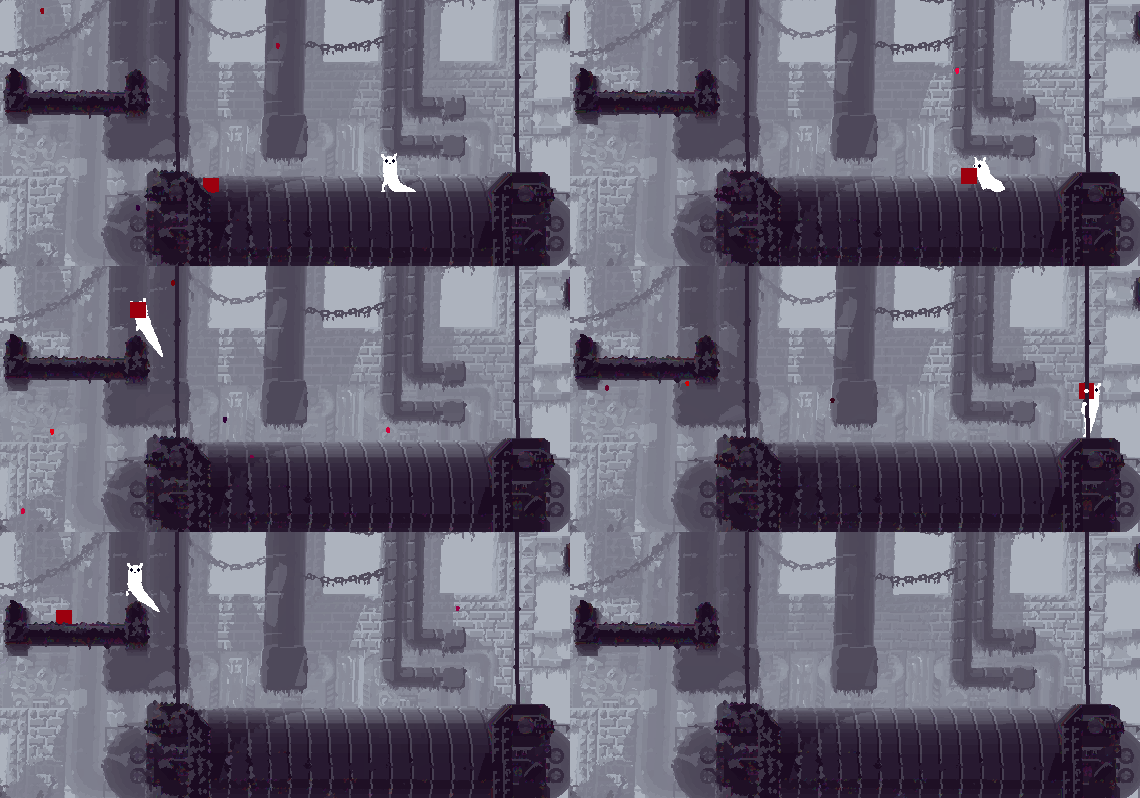
so here is a video of the multi-camera thing ROUGHLY implemented, just slapped on to current levels to experiment with:


there are two different ideas being tested in this, :06 is basically two connected rooms and the screen camera just swaps when you exit (with a little overlap) and :40 has the cameras set in more drastically different places, which might be worth considering for future level design.

also at 1:00 there is a test level seeing how multi-room platforming might be (answer: hard.) shows off some of the new limb animations!

(worth noting: this is probably not at all how it will be implemented, just early testing of the functionality.)


   jamesprimate on June 08, 2014, 04:31:40 AM:

Joar will probably chime in with a more specific explanation when he gets back, but as I understand it this camera swap setup is a workaround of some limitations we've run into with unity vs. director/lingo. basically, unity has a much more strict limitation of image size than director/lingo does, meaning that we cant build multiple-screen levels in the way that we want to (ie. as one big ass PNG). our options are that we either have to scrap the current level editor, most current level assets and with it a good chunk of the "style", or we settle for a slightly awkward camera limitation.

it's not ideal, but as rain world was pretty much built around the single-room/screen idea, it probably makes sense to keep that mostly intact anyway, with perhaps some multi-screen levels here and there as set pieces or to show scale, etc etc. so that's kind of what's being shown here. I think once it's being seen implemented on multi-screen levels that were made with this mechanic in mind it'll probably make a lot more sense in context.. but I guess we'll find out that pretty soon!


   JLJac on June 08, 2014, 07:34:22 AM:

Hi guys! OK, so let me give some more context to all of this.

Do you remember the parallax thing I wrestled with a few weeks back? That was my attempt to create the very same solution as you guys are suggesting now. In explanation - the camera should snap to certain positions (in order to give the environments some attention and gravity, rather than just having them be something that's rushing by sonic the hedgehog-style) but it would move smoothly between those positions, and be able to leave them for free movement if necessary.

Enter the Unity limitations.

A rain world level is, despite it not being very evident, 30 layers of bitmap graphics, each displayed on top of each other in order to create a slight 3D effect. You might not notice this much, but it's a huge part of what makes the levels "look good", and you'd certainly notice if it was swapped out for just a regular flat 2D image.

My first idea was to store all 30 layers in one single .png, all on top of each other, and have a shader do a raycast through them all. But Unity limits texture height to 4000 (or 8000 if you want to stretch it) pixels, meaning the largest level size would be 4000/30 ~ 130px, and that won't do. Also the file size would be humongous. Maybe it's as well I didn't manage to do it, a million pixels times 30 cycles might very well have blown my computer up, leaving most of Stockholm a smoking crater.

My workaround, the one with which I achieved that parallax .gif, was to save all the layers in its own .png. This means every level would be 30 files big, a logistic nightmare. Also, the file size, and the fact that all of that data would have to hang out in RAM, made it feel unrealistic as a solution. On top of all this, I was very unsure about how to make the shadows work in such a solution - I would probably have to have each layer draw to some kind of render texture, and that would be 30 full screen copypixels every frame... You see my point here.

Then I started contemplating different bump mapping-like shader ideas, and the notion to write my own file format for compressed 3D textures... The complexity of those solutions were kind of getting out of hand.

So this is when I decided that screw it, I'm going to have the dynamic shadows, but I'll have to pre-bake the levels. The reason why pre-baked levels means fixed camera is that the perspective effect is baked into the 2D image rather than rendered on the fly as in the parallax solution - if the camera moves the lines won't converge at the horizon as supposed to, and it will become very evident that it's a 2D image rather than anything else, ruining the illusion of depth.

About now I started to remember my thinking when working under the pretty bad technical limitations of Director. Back then I was also thinking about a moving camera, but I decided against it. It would eat away at the framerate way too much, forcing me to compromise other parts of the game. I decided that a lot of games had moving cameras, but few had procedural animation and complex AI, so I decided to put my processor cycles and work hours there instead.

Why would I make a different prioritization now, I thought? If I have this one solution that's much harsher on the processor, will take me much longer to implement, will make the size of the game much larger, will force me to compromise other parts of the game etc, what would it take for it to be worth it? In the end I think that the features that are actually unique to Rain World, mostly animation and AI, are the ones that deserve all of those resources.

I know of several platformers that only have fixed screens with hard cuts between them that work perfectly well in my opinion, or have even found a way to stylistically benefit from it. An Untitled Story is one of my old indie favorites that works like that. Maybe if we study those examples, we'll be able to make this solution feel as natural and work as well as they did? Obviously it will take some trial and error, and obviously most of the awkward experiments I threw together in this build won't cut it. But I think that if we put the work in to make it work, it will be preferable compared to the free-floating camera which would look soooo cool, but which in the end isn't really worth it...  Huh?


   JLJac on June 08, 2014, 10:51:42 PM:

Having watched the video, I think your most jarring transitions are the ones where the two screens have some overlap.  For example, 0:10 transition and especially the 0:43 transition. The most comfortable are the ones where the character goes to the full edge of the screen, and then teleports to the opposite edge of a completely new screen.  For example at 0:30.  This is the traditional "flip screen" behavior that many games have had and that gamers are fairly familiar with.

Probably what makes the first type bad is that it is unexpected.  With the second type, as I approach the edge of the screen as a player I know something has got to happen, since before long I will be off the screen entirely.  The player can anticipate the event.  And the player knows where to look to find their avatar on the new screen, since there is a consistent behavior.

Watching the tower ascent starting at 1:00, it actually works pretty well.  The rule of predictability is maintained, and the small overlap between the screens (usually it's a horizontal bar that is visible on both) seems to work well. (Though, the small camera movement right before each camera switch seems unnecessary and weird.)

However, in my own game I started with flip screen and later added a sliding transition, similar to what one sees in zelda.  I feel this is actually superior since the player is able to watch their character the whole time, and there is a short time period where the player input is disabled (during the transition) and this allows players to let go of the controls, or get ready to start moving, after they have already seen the new room briefly.

Your choice on the last point though, as many good games have used flip screen and players can easily cope with it, as long as it is done in a consistent way.

Very good points all of these, and they generally line up with my experience as I've been trying these systems out. I think the best would be to have it switch when you reach the edge of the screen horizontally, because then you expect it to switch. The main problem here is that we're supposed to support both wide-screen and non-widescreen formats...  Who, Me?

4000 (4096 in fact) isn't unity limitation, it's the physical limit of gpu's shaders, also might not work on all card who don't accept such large texture. You should look into things like virtual texture techniques to know how to handle arbitrary large texture (amplify use something like that).

There is certainly way to do it since there is many unity 2d game that does the heavy large large levels. Maybe rendering everything in a single shader is not the best solution? Try to post about it in unity3D forums!

http://forum.unity3d.com

Set a thread in showcase too, maybe unity themselves will propose to help, it happens.
I was having a problem with an extremely large texture myself once. I was using a big sprite sheet (2080*1280) with 160px*160px pre-rendered 3d sprites, and I bound the whole thing to a single texture using OpenGL, but it wouldn't work on older computers. So yeah, it's a GPU thing. The solution was to cut it up into individual textures after loading. Perhaps you should do something similar? 512x512 chunks drawn in a grid?

Yeah, I could just cut it up in smaller chunks. That wouldn't help with the enormous files size and RAM usage though. Plus the dynamic shadow issue, etc. The situation isn't really that I can't make it work (you've seen the gif, I did make it work already  Wink) as much as that I don't think it will be worth it. On the one side we have a cool transition, on the other we have a huge work load on the processor, on the gpu, on me, a huge increase in file size and RAM usage, a terrible logistic situation with 30 files per level (or more, if I cut them up), the possibility that the already implemented dynamic shadows would have to go, etc.

The dynamic shadows are visible all the time - the smooth camera movement would only be visible during very short intervals. It would still chew framerate all the time, though.

That said, 30 layers? H-How? Do you have a single background element, like a chain, on each layer? If so couldn't you save such things as a sprite and set their position and depth through a map script on load? Or is it more like 10*(texture map+depth map+normal map)?
Think of it more like a voxel matrix, or a 3D texture, and it makes more sense. Then each screen would be 1400*800*30 pixels. I guess that to most people the game looks very 2D, but if you look closely at some screenshots you'll notice that on the left side, you can see the inside of the wall, and on the right side too. That's the perspective in action. So the game is slightly 2.5D, perhaps.

If I were to make everything separate sprites, the main problem wouldn't be chains and plants etc (though even those alone wouldn't really amount to 30, they'd rather be in the hundreds) but the fact that a standard tile is 10 sprites on top of each other. A standard level will have something like 7000 tiles in it, so that'd be 70 000 sprites, chains not counted  Epileptic

Gah, you guys make me want to go back and try to solve this again! I'll talk to James though, maybe it will get a re-visiting but I should probably make some actual game mechanics before I dive too deep into the cosmetic stuff. In either case this latest big update has brought dynamic level sizes with it, and that will always be a necessary feature, no matter how we chose to display it  Smiley


A quick question to you programming people out there - is there a rule of thumb to what is best, saving data or calculating on the fly?

Currently I'm working with an AI map, a class that's attached to a level and which can be asked by AI entities for necessary information concerning specific tiles. Such information could be if the tile is a floor(on top of a solid tile), or if it has any special paths (don't know what to call them, a special path would be for example "if a creature drops down from this specific climbable tile, it will land on this specific floor tile"). In short, these queries will require asking neighboring tiles for their properties.

Now I have two options - either I save all this information to the tile map on loading the level, or I calculate it every time I'm asked for it.

I understand that this basically is a decision between burdening the processor or the RAM, but maybe the burdens would be drastically disproportionate in favor of one solution?



   jamesprimate on June 09, 2014, 11:32:51 AM (Last Edit: June 09, 2014, 11:41:58 AM):

hahah, but this is all "re-do literally everything about the game to make this one camera mechanic smoother"

im pretty confident that once this solution is seen in the proper context it will look just fine. we'll see!


   JLJac on June 09, 2014, 11:46:38 AM:

Thanks guys! I will go harder on the RAM than the CPU when all else equal from now on, then.

On the parallax thing - yeah, that gif Zaphos posted. You can kind of see how you can't really bake that together into just 4 layers or something like that - it's not the classical "some mountains at different distances," rather it's a voxel-like solution compromised of parallax layers. Rendering each tile by itself wouldn't really be feasible even if the 70 000 sprites were to work - the effects such as erosion are applied to the image as a whole, not to the individual tiles. In fact the effects are there for just that reason, to make the tiles melt together into a whole.

Making the game actual 3D is theoretically possible, but I want to use the same level editor and assets as I already have. I really like the look of it, more perhaps than actual 3D. And as James says, that would be like making another entire game from start again, pretty much, this time with a technique I'm totally new to.

So...

In honor of my habit of jumping between different task like a 4 year old, we now give the parallax some rest in favor of AI!

Update 252
I now have a class for mapping the shortcuts of a level, and for doing the AI map. This is a good healthy step forward, as the AI map is the foundation of the path finding the next thing I can start with (after setting up a lizard entity, which is a pretty small task) is actual path finding code. From there on everything will become inferno, but let's not live tomorrow's sorrows.


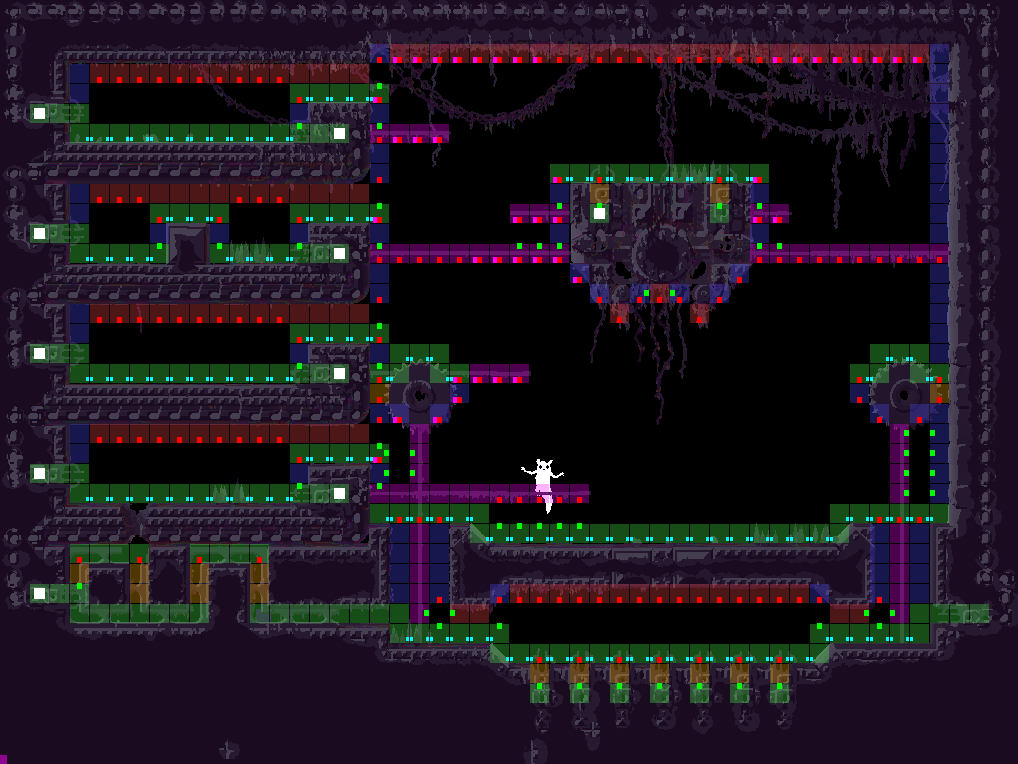
This AI map has most of the paths the lizards will use, though not the pup-specific paths such as horizontal jumping, though that's easily added later. The tiles are color coded according to a hierarchy, floor(green), vertical corridor(yellow), pole climbing(pink), wall climbing(blue), and ceiling climbing(red). The beauty of this hierarchy is that it's a linear increase of difficulty of terrain, any creature that can be in a pink tile for example, can also be in a yellow or green one. Ceilings and walls are reserved for the sticky toed breeds of lizards.

The little dots represent paths that can be taken by different creatures. The little red ones pointing downwards for example symbolize that from here you can drop down and land on a floor. Pink downwards dot means that from here you can drop down and grab hold of a pole mid-air, if you're a creature with that kind of agility.

As you see, this map limits the areas the path finder has to handle - there are few big open chunks of tiles where the path finder would chew away more slowly.

Oh, and the mapper classes. What's cool about those are that they are asynchronized. In this version we're playing with the idea of split screen coop, and that means that as one player moves from one room to another, the show still has to go on for the other. We don't have the luxury of pausing everything and wait for it to load.

Instead, when you start to enter a room these mapping classes will fire, and work in the background. As soon as they're finished they serve their room the product of their work, and the reference to them is nulled so they can be disposed by garbage collection. There will still be a small pause for the player moving from one room to another (unless I come up with a clever preloading system) but the other player can keep playing.


   jamesprimate on June 09, 2014, 01:19:43 PM:

seems like people are getting a bit wrapped up in the mechanics of the 3d implementation rather than what it would bring to the game (this game, rain world). ie. not much.

im sure everyone would agree that one of the most recognizable elements of rain world is the very unique art style, which is in some degree a direct result of the tools and methods being discussed right here. so changing all that, plus all the current tools assets and work, simply because there are other possible solutions to one very minor problem doesn't seem remotely reasonable. totally throwing the baby out with the bathwater. it would literally be making a completely other game.

has anyone ever said "this game sure is great, specifically because of those half-second transitions between screens"? i suppose its possible, but i certainly haven't said it.

anyway, i hope that doesn't sound too defensive. obviously all this feedback is super important (and please continue to do so!!), i just want to keep Joar from getting too bogged down defending technical choices made years ago that are now fundamental aspects of the game. cuz he's got a looooot of other work to do!  Screamy


   JLJac on June 09, 2014, 11:08:03 PM:

I will go harder on the RAM than the CPU when all else equal from now on, then.
Just want to re-emphasize that this is oversimplified advice ...

Accessing your RAM can cost on the order of ~100-300 clock cycles if it's not already in your L1 or L2 cache.  You likely have >1GB of ram to work with but maybe only ~256kb of L2 cache per core.  If you precompute a lot, you need to consider how you access what you've precomputed, as that determines how often you'll get cache misses when accessing it.
Tell me more! Do I even have that kind of control in c#?

@Lee, given that Futile uses polygons to display the sprites, what would be the big difference between my current setup and "2D texture planes"? In Zaphos gif you see 30 2D texture planes, essentially. If you're talking about having pixel art textures and make actual 3D models I'm pretty confident I don't want to do that, both because of the mentioned reasons and because actual 3D models would change the art style. I think the current art style goes better with the characters, and wouldn't want to change it for 3D.

When it comes to tile based approaches, I'm not too keen on those either, as the very point of this visual experience is that everything should be molten to a mess. If you guys can see potential to cut it up into tiles, that means it's not eroded enough!  Wink

The main point here is that the 30 layers are here to stay. I could perhaps cut them up into smaller pieces or something, but the basic issue that the file sizes would be huge and the implementation nightmarish remains.

I know for a fact that it would be considerably heavier performance wise, if I do it as separate sprites, as a shader, or whatever solution I come up with. And I also know that I would prefer to put those extra processor cycles towards AI and actual gameplay aspects rather than a very superficial cosmetic. With stuff like parallax scrolling people tend to go "ohh, cool" the first time they see it, but it wears out pretty quickly. Being able to create a greater diversity of gameplay scenarios (15 lizards in a pit or something) seems more worthwhile. So while I'd like a moving camera, I kind of don't see how it would be worth it, especially as I think a static camera could be made to work.

That said, I might very well try to implement it some time along... Especially if we do split screen, the cameras will have to scroll either way, and then it might become worth it to really go that extra mile to make it look good. As you've probably noticed I'm not very focused in my work, I jump back and forth and return to stuff every now and then. Because I'm the only developer I think I should use the luxury to be able to work like that - and also it might make the devlog a little more entertaining. So if I get a sudden idea, or if someone presents the perfect solution, I could jump back to the parallax any day.

Oh, and don't censor yourself, the idea of the thread is to talk to people with ideas and opinions!


   JLJac on June 10, 2014, 05:00:09 AM:

Maybe for the path finding it would be fun to try? The A* is a bunch of lists of countless very small, possibly value-type data structures, so it might be fitting? I have to admit though, I'm still not entirely sure how to identify a bad implementation from a good one, and I have no idea how to test if I've succeeded, so I'd basically be working in the blind. Is there are profiler that can count cache misses in specific parts o the code?

Ok, so let me give you my idea on how I think this works and you guys can tell me if I've gotten it right.

Let's say each tile in my pathfinder has three values, int generation, int value and bool reachable.

Instead of the OOP approach, where I'd create a struct
Code:
public struct PathingTile
{
  public int generation;
  public int value;
  public bool reachable;
  public PathingTile(int g, int v, bool r)
  {
    generation = g;//by the way, is there anyway I can assign those right away to the  construct params rather than having to have those useless little intermediate variables?
    value = v;
    reachable = r;
  }
}

and then do an array populated by those

Code:
public PathingTile[,] aiMatrix = new PathingTile[50, 42];

and repeat over it for operations

Code:
for (int i = 0; i < width; i ++)
   for (int a = 0; a < height; a ++)
      DoThing(aiMatrix[i, a]);

I'd do it differently. Maybe something like this:

Code:
public class PathFinder
{
   public int width = 50;
   public int height = 42;

   public int[,] generations;
   public int[,] values;
   public bool[,] reachables;

   public PathFinder()
   {
       generations = new int[50,42];
       values= new int[50,42];
       reachables= new bool[50,42];
   }

   public void Update()
   {
      for (int i = 0; i < width; i++)
         for (int a = 0; a < height; a++)
            doGenerationThing(i, a, generations[i, a]);

      for (int i = 0; i < width; i++)
         for (int a = 0; a < height; a++)
            doValueThing(i, a, values[i, a]);

      for (int i = 0; i < width; i++)
         for (int a = 0; a < height; a++)
            doReachableThing(i, a, reachables[i, a]);
   }
}

Do I get it?


   JLJac on June 10, 2014, 09:34:55 AM:

Update 253
A reasonably good day! Got a placeholder path finding class down, called "quick pathfinder". This one doesn't really have all the cool stuff as the final AI pathfinders will, but it has allowed me to test the concept.

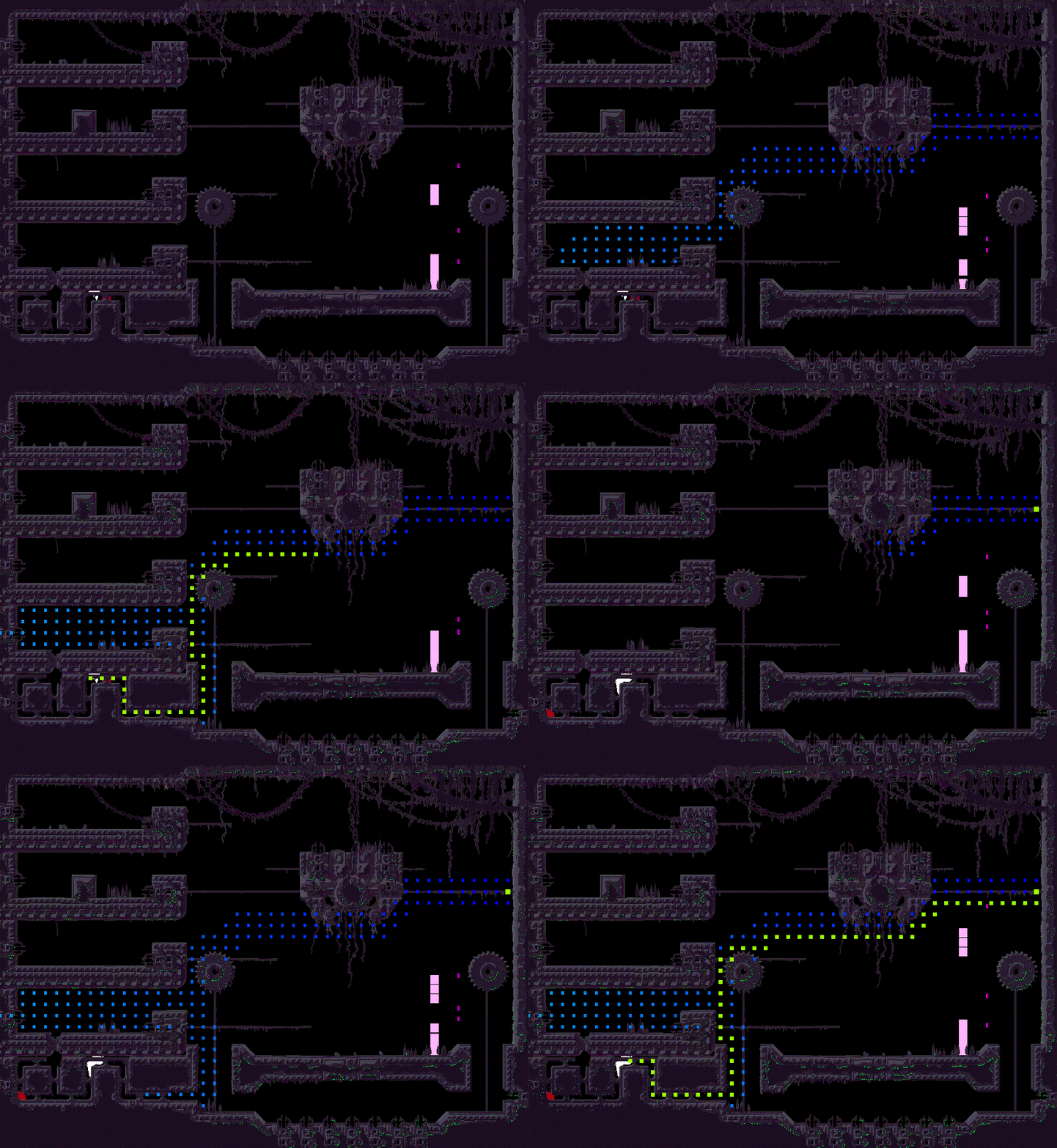
The actual AI is going to use a persistent map and overlay path searches on top of each other continuously (more on this when we get around to it) while this class is just given a start position and a goal position on spawn, and then works with trying to find a path between those. For the real AI my sense of tidiness would never allow spawning an object like this each time I want a path just to throw it away later, and it isn't good at doing dynamic path finding with both the goal and start positions moving as it works. Rather I plan to have the game use this object to analyze if it's possible to get from one point of the map to another, which will come in handy for some things I have in mind for later.


(trying a new image service here, hopefully the pic will stay up)

As you can see, this object too works over the course of several frames. The only thing it has accessible to other objects is a status integer, which can be 0(working), 1(path found) or -1(finished, didn't find a path) and a function that if applicable retrieves the path as an array of tile positions.

It can also work within a single frame, then it's just a matter of looping until the status isn't 0 any more. The next step is to be able to feed it a list of accessibility info ("I can't climb on walls, please give me a path that doesn't require that").

Oh, and those jumpy things are the lizards! Albeit under construction... Intimidating though, aren't they!? Who, Me?


   JLJac on June 10, 2014, 12:41:59 PM:

Ah, of course, I should've figured! Because it's basically an array of arrays, right? And now I load an entire row just to get one column tile, and that's not very efficient...

But if I use a singleton I won't be able to spawn a bunch of these babies and have them work in the background during runtime, am I right? Then it would all have to happen withing a frame, and if the level is big and mazelike that frame might take a while!


   JLJac on June 10, 2014, 11:03:24 PM:

Does this have to do with multithreading? o_0 Talking of which, should I perhaps use multithreading for something? Like mapping the levels, or pathing? It seems like a waste to have all these processors just sitting there... But I figure the compability between different hardwares would take a hit.

Thanks for the AWESOME a* link! For my game I need super control of the pathfinding, as the AI taps into it quite a lot it can't be as encapsulated, so I won't use this code as is. That said, reading the code is extremely interesting. It seems the implementation is in fact very similar to mine, which maybe isn't that big of a surprise seeing how A* is pretty tried and true. But he does some things that are pretty awesome - for example he doesn't use a multidimensional array, instead he uses a linear one and fetches the right position like this

Quote
arrayIndex = thisX + (thisY + thisZ * worldTotalY) * worldTotalX

which I guess would be because of the cache optimization thing you guys mentioned earlier?

Oh, and he doesn't store the open nodes as a sorted list, but as a heap. There's something here I'm not getting, as he doesn't seem to keep track of the already evaluated nodes, instead he just have the linkage mechanic of the heap structure organically flow over into creating a linked path somehow... Soooo cool.


   JLJac on June 10, 2014, 11:38:43 PM:

Pathfinders! Hand Shake Left Cheesy Hand Shake Right

Yeah, I deciphered the heap now. Damn, this thing is elegant. It's OK for me to use some of his methods, right?


   JLJac on June 11, 2014, 02:10:51 AM:

I can draw from this, but because of some rain world specific stuff I'll have to do a hybrid solution that's not quite as lean as this is. For example I'll have to use an integer array rather than one of bools, and a few other tweaks to accommodate for slightly more complex stuff going on than just tile-by-tile, equally weighted, pathfinding. I'll get into more detail when I do a proper update.

It was a super good source of inspiration. Especially the idea with the heap, which I wouldn't have come up with in a million years. Thanks  Smiley


   JLJac on June 11, 2014, 06:09:52 AM:

@dancing_dead, do you have the email of the guy? I think I found a bug.