—    —  Home

   JLJac on May 26, 2014, 03:26:48 AM:

Ohhhhh.... Rætikon is sooo beautiful o.0
Actually I don't think I could give up control of the art under gunpoint, but thanks for the offer! I'm certainly open to tips and tutoring though, especially when it comes to readability etc. At the moment I'm in full Unity catch up mode though, so it might be a while before I return to art stuff  Sad Oh, and it's mostly James who checks that email, if you guys want to actually talk to me I recommend my email which is linked from my profile here.

Update 142
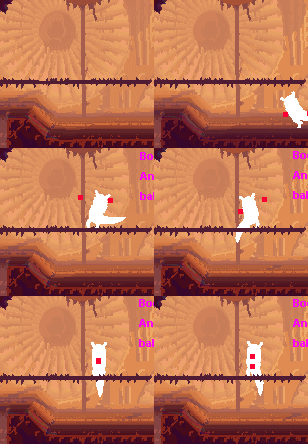
Ported some of the "using the arms to balance"-code, and found myself laughing at this. If you view it as a dramatic gesture


Ta-Taa!

Also note how the tail is used for balance, and there's a bit of a tilt to the body. Most of that tilt is actually not reflected in the physics, it's just the graphics module doing some decoration work. I feel like I want the actual physics engine to be solid, and not have too much weird flickery random numbers and sine curves in it or it might become unpredictable.

We'll see if this still looks funny when the actual arm graphics are in, if so I might have to do something about the maths behind it.


   JLJac on May 27, 2014, 11:39:50 AM:

Update 143
Here we are!


The player animation is now up and running in Unity! Huge milestone!

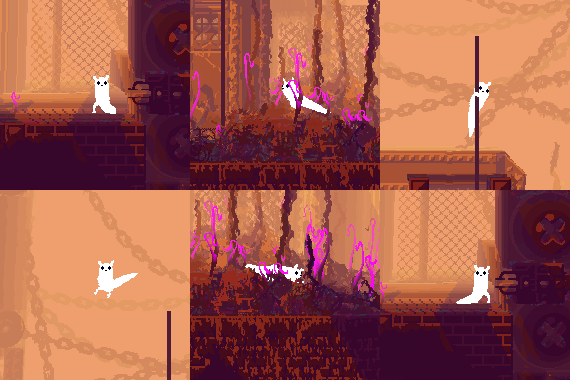
The dynamic "look for somewhere to grab" engine used to be only for lizards, but now when I'm making stuff more general it's accessible to players too. So for example, instead of balancing awkwardly, the player will prefer to just grab something and chill out if possible:


For the climbing, little hand sprites are rendered on top of the level graphic. Those are not in the grab texture, so they don't have a shadow, but you would totally not have noticed that if I didn't tell you Tongue


There's still some stuff to do, for example the player being able to look at things and not only stare blankly into a z-dimension where nothing really exists. But looking at stuff requires ... stuff. So that has to go in first. Also there's a lot of little details that need more polish, as always.

Another cool thing happened - I actually managed to port the build! The problem where the shader's attached textures wouldn't stay bound after building was averted by making the palette and the noise map global textures instead. A hack, yes, but it'll do for now.

Then another problem came along, which was THE WOOOOOORST. The palette loaded but everything was a mess. After debugging by doing different palettes colored in different ways to see where the shader actually picked its colors, I got it. Buckle up, because this is horrible:

THE SHADER ROUNDS DIFFERENTLY IN THE PREVIEW FROM IN THE ACTUAL BUILD.

 Mock Anger Mock Anger Mock Anger Mock Anger Mock Anger Mock Anger  WTF

Say that I wanted to fetch the sky color of the current palette, which would be pixel number 7 from the bottom. I used to sample at 7/theHeightOfThePaletteTexture which worked fine. Of course this actually samples on the edge between two pixels, but in the editor I got the 7th pixels color, so I was happy. In the build though, I got the other color. Easy enough to fix, I just made sure to sample at 6.5/theHeightOfThePaletteTexture. But I shouldn't have to deal with this! If Unity keeps the level of inconsistency between editor and build that I've seen so far, it's real trouble. Like, you need to have the testing environment be somewhat the same as the real deal right? Otherwise it's like building a car on the moon and having to look at it crumble under gravity every time you try to drive it for real. Hm.

Anyways, mostly a good productive day!


   jamesprimate on May 27, 2014, 12:19:56 PM:

Update 143
Here we are!


The player animation is now up and running in Unity! Huge milestone!

The dynamic "look for somewhere to grab" engine used to be only for lizards, but now when I'm making stuff more general it's accessible to players too. So for example, instead of balancing awkwardly, the player will prefer to just grab something and chill out if possible:


For the climbing, little hand sprites are rendered on top of the level graphic. Those are not in the grab texture, so they don't have a shadow, but you would totally not have noticed that if I didn't tell you Tongue


ahhhhhh so fluid and nice! thats a lot of work for one day, wow.

yes yes, proportions will be looked at, but cmon people, we've got to get them working in the build first! adjusting the size is trivial comparatively.  Hand Thumbs Up Right


   jamesprimate on May 27, 2014, 12:52:50 PM:

hey im just excited the slugcat finally looks like a slugcat again  Tears of Joy Toast Right


   JLJac on May 27, 2014, 10:21:24 PM:

Yeah, I'll definitely be more suspicious of the editor from now on! The vita thing is really cool actually, would be fun to see the game on a handheld Smiley Thanks for the heads up - now that you mention it we should probably try the game on a mac and a linux machine every now and then as well. I guess I had a little too much blind confidence in Unity to just export and have everything work - and to Unity's credit that might actually be the case if you use it as supposed to. But I do some weird stuff with Unity I guess, such as 2D and custom shaders, so it's somewhat natural that it's a bit more shaky I suppose.

What's up with the arms haha? They are actually the exact graphic from the old game, so nothing have changed there, that I know of at least! Anyways, note that they're not supposed to be cute fluffy paws, but rather skinny and slightly uncannily human like arms, as you've probably seen in the concept art. That said I'm also not too happy about all of the arm stuff, especially how big the hands become when grabbing a pole, so there's going to be some polish there for sure!


   jamesprimate on May 27, 2014, 11:40:02 PM:

now that we have a FULLY FUNCTIONAL SLUGCAT, I did a little kickstarter update. Mostly things you all have seen, except for an actual video of rain world running in unity and looking good (!!!):


i was talking about this with Joar, but i think we've actually reached the point where the gifs don't do the game justice anymore. the unity build is running at like 120FPS looking suuuuuuuper crisp and vivid, with way better physics, but still using the cool old assets. its pretty incredible really!

(i can say these things because i didnt do the coding, right? anyway, its magic)


   JLJac on May 28, 2014, 04:46:48 AM:

Thanks! Actually I think it looks pretty identical to the old one, but now I've set you guys up by having you stare at some boxes for a couple of weeks, so compared to that it looks like a million dollars I suppose  Cheesy


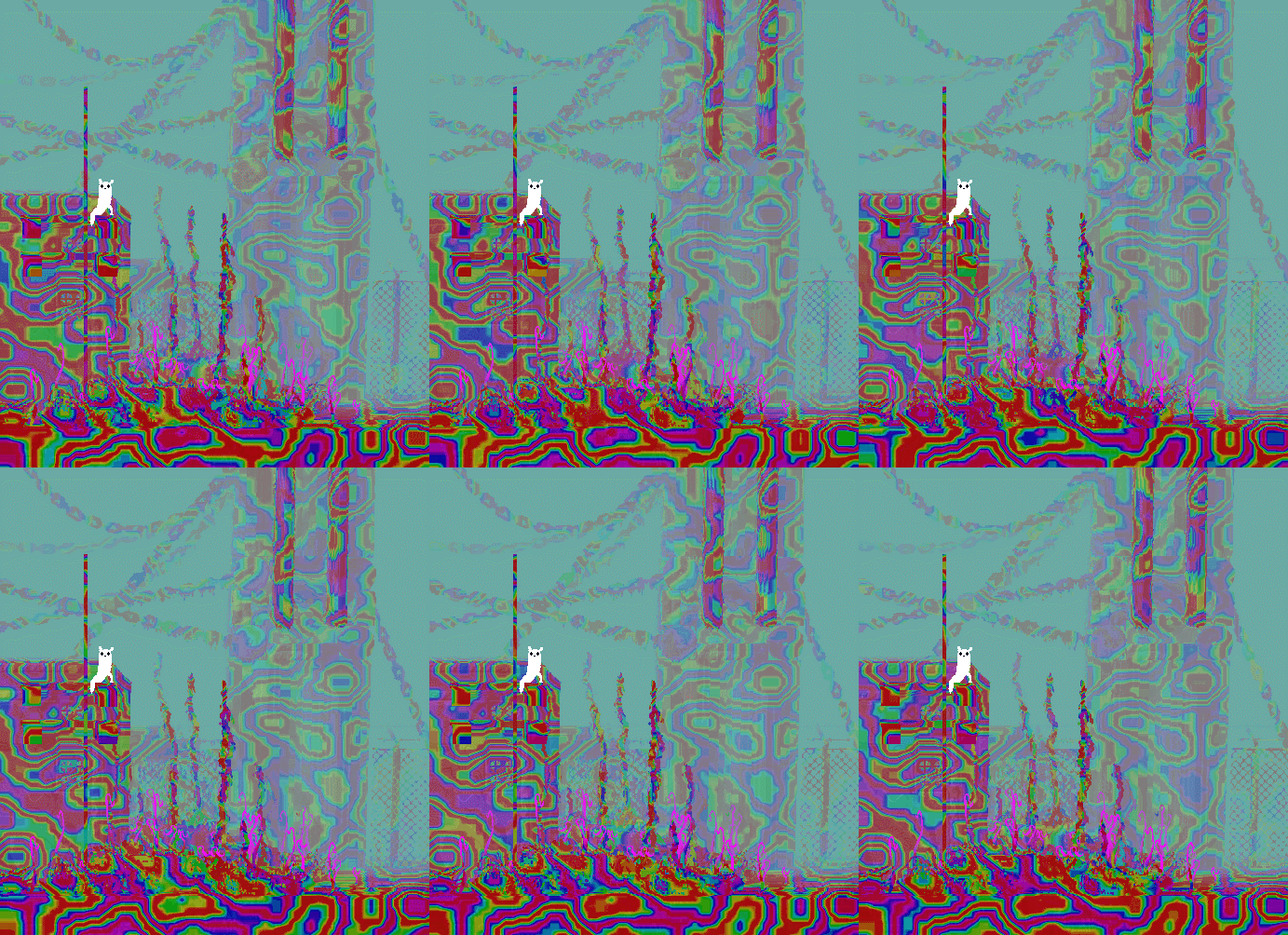
In other news, I applied the rainbow effect to all surfaces for debugging and ended up in a slugcat acid trip  Shocked


   JLJac on May 28, 2014, 10:25:45 PM:

Yeah, hopefully we can find a use for it!

Update 144
Now I've been doing fun visual stuff and spoiled you with gifs for a while, so today I returned to behind the scenery to do some tidying up. When trying to achieve something I generally tend to just write whatever works, and then I later need to go by it and clean the code. Also I've been horrible at commenting for the last week or so, so that could use some work as well.

In behind-the-scenes news, I managed to have the application load the levels from outside the resources folder, and it was less of a nightmare than expected. I'm using Unity's WWW class, which is actually used for downloading files from the web, but can be used locally on the disk as well. It's a dissynchronized load method, and I haven't really decided if that is cool or not yet. Worst case I can always just have the game wait and not do anything until the loading is done, and voila, I'll have a synchronized loading method.

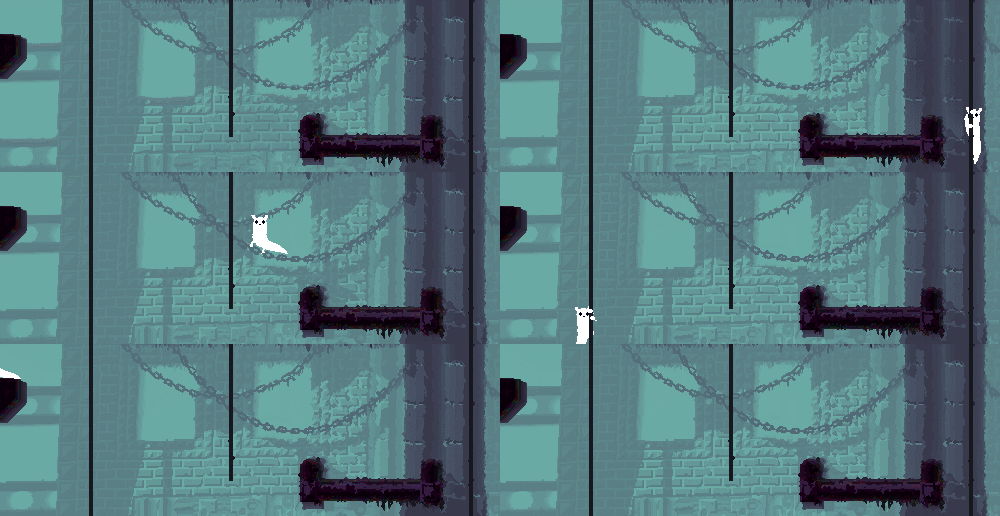
Apart from that I've started making little essential parts of the engine tick, that has been neglected till now. For example, movable camera:


Looks fairly good even without the parallax, no? Of course I don't want the camera to behave like this in the actual game, I'm leaning more and more towards the fixed screens as an artistic decision, but in order to have for example a screen shake effect this basic functionality needs to be in.


   JLJac on May 29, 2014, 08:23:29 AM:

Update 145
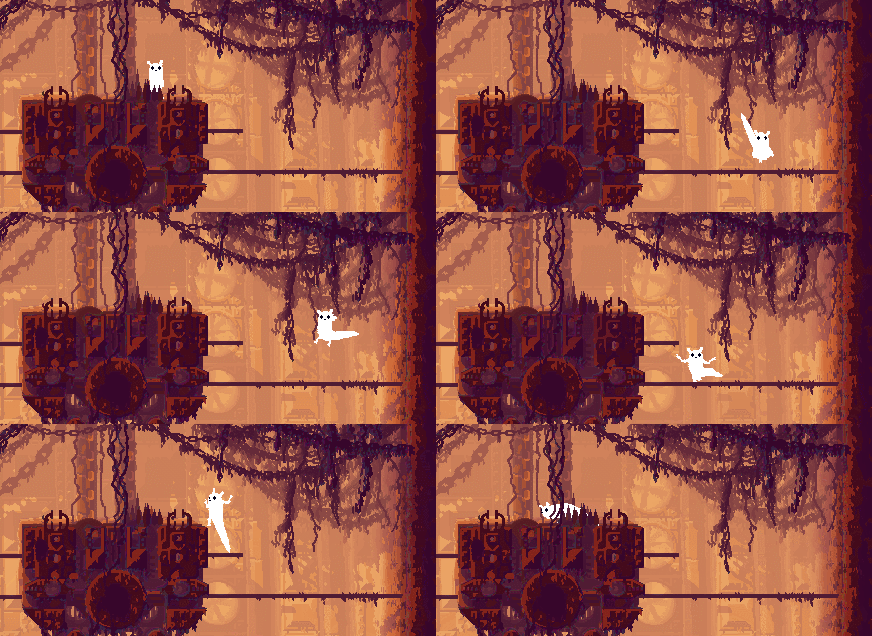
I slipped away from the boring tasks and did something useless but fun instead... Arm behavior in mid-air:


The weird jerky movement where the tail becomes square is when I do a hard reset of the player's position to the center of the screen, and of course there won't be anything like it in the actual game.

I tried to make the arms look a little bit like they tried to balance the body in the air, at the same time as they're ready to protect against impact with terrain. They also have a little bit of terrain awareness - every frame they look for terrain in a somewhat randomized position that's in front of the body. If it has terrain in it the arm will gravitate that way, hopefully looking like something along the lines of either trying to soften the impact of an incoming floor or clawing for a grip at a wall.


   jamesprimate on May 29, 2014, 09:51:26 AM:

Shocking!!!

its a huge change. but after looking it for a while, its undoubtedly the right direction. in fact, now the old leap looks strange by comparison (yes, where *were* the arms?)

It does interrupt the graceful comet-like arc of the old leap though, which i found really appealing. Perhaps just fine-tuning the circumstances (length of time / distance it takes for the limbs to come out) so that not every jump winds up as a pile of wiggling limbs, might give us best of both worlds. This is obviously just my initial impression from one gif where you are specifically TRYING to show the limbs, so perhaps this is already somewhat implemented.

I'm guessing there will be separate set of classes for limbs holding objects (like tucked in, close to the chest) or something?


   JLJac on May 29, 2014, 01:02:37 PM:

Hahaha OK let me calm you down by letting you know that in the gif the behavior was very exaggerated in order to show the functionality. Like James mentioned, the "meteor jump" is very signature to the slugcat, and I wouldn't want to give that up for some flailing.

The way it works is like this - every frame you're airborne, a value is incremented by the magnitude of your velocity vector. When you hit ground that value is reset. If that value is larger than a specific amount, this arm behavior starts to show. So, the longer you've been in the air, and the faster you've been moving during that time, the sooner the flailing will start. But the number is balanced so that a normal jump will never generate the flailing.

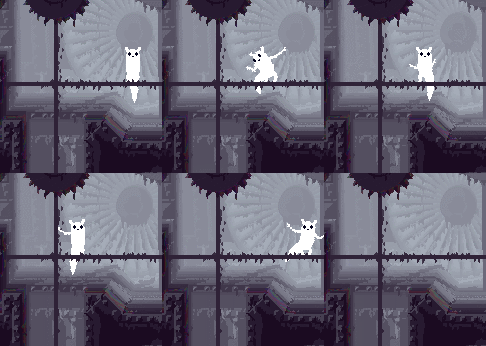
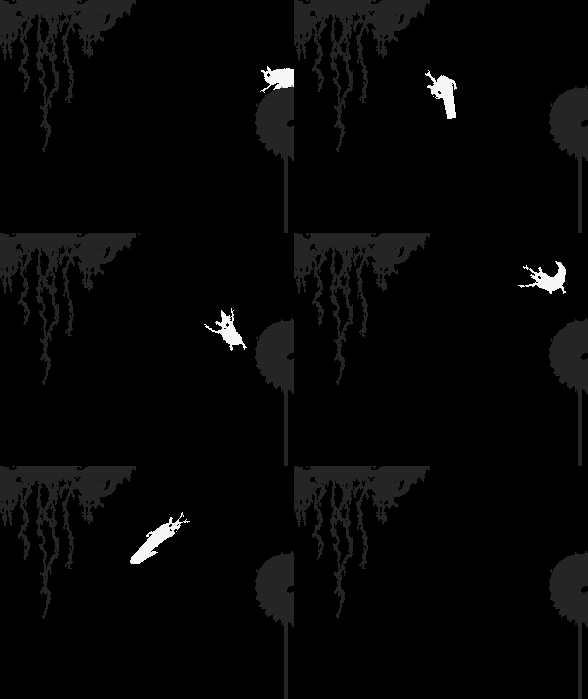
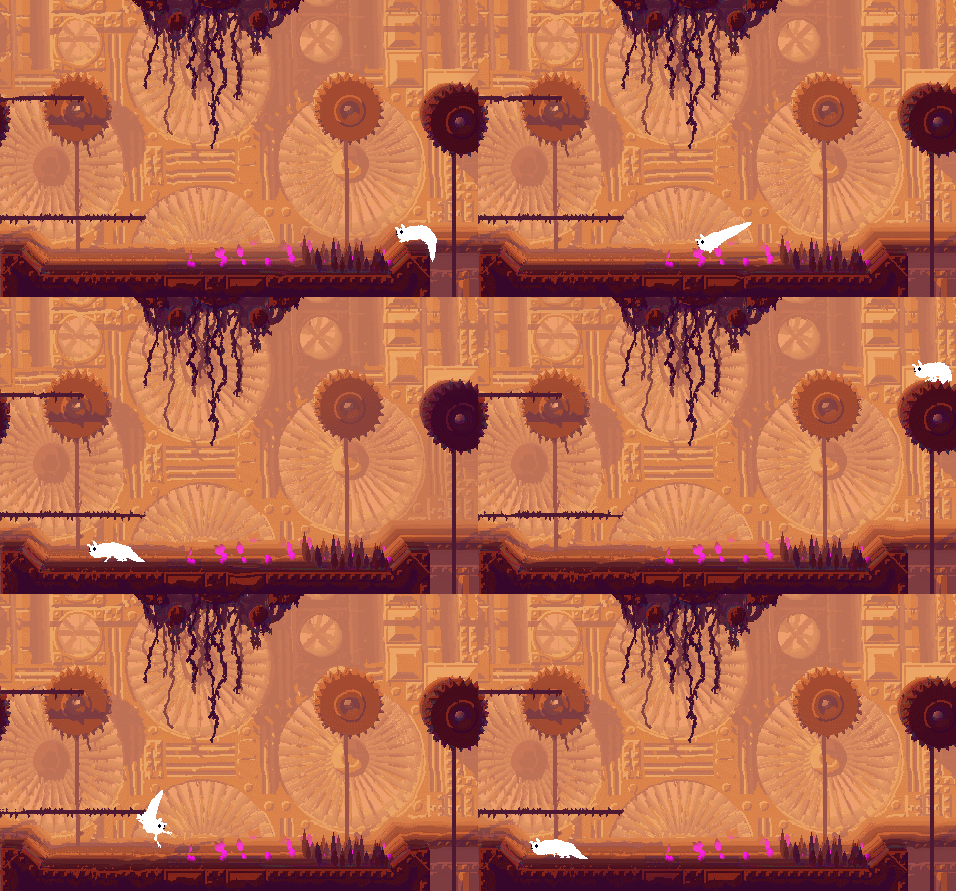
Here's an example of the normal lunge jump on ground, which is the same as always, compared to the lunge jump from a height, which will display a little arm movement:


Also note that in normal speed much of this is too quick to even see, which kind of makes me question why I've spent an entire afternoon on it hehe!


   jamesprimate on May 29, 2014, 01:18:08 PM:

i love this so much


   jamesprimate on May 29, 2014, 01:49:21 PM:

so obviously i spent the last half hour watching slow motion cat jumping videos for comparison (paired with maniacs of noise soundtrack for MAX STYLE): http://youtubedoubler.com/cy1S

id say the little bits of flail are pretty realistic!


   jamesprimate on May 29, 2014, 08:21:27 PM (Last Edit: May 29, 2014, 09:51:21 PM):

i think the warping effect is a shader to show a kind of misty, drippy pre-rain atmosphere. but you are seeing it without the physical drips, etc. i think it will make a lot more sense in context. now it just looks like, well, 'Small Dose of LSD World'. which is not necessarily a bad thing!


   JLJac on May 30, 2014, 08:49:23 AM:

Yeah... For all the abuse I've been putting on Director, I've gotta say that it has amazing consistency between the editor and the actual app, and between different machines.

Update 146
I have this policy on the devlog, that I should never write about what I will do, but only about what I have already done. This is because otherwise I end up in this weird situation where I "owe" work to you guys, and the next day when I've actually done that work I have nothing new to say, so instead I write about what I'm going to do tomorrow, and on it goes. Soon you'd be reading my dreams and wishes rather than actual progress reports haha!

Because of this I don't have much to say today, as I'm in the middle of a large boring technical task that won't get done in one sitting: making room sizes variable. The horror of this task is that the level editor is still Lingo, and a royal mess at that. The only good thing is that I've given up on the code to a degree where I don't even care any more, so I just put in whatever solution works no matter how ugly or cluttered it is. The level editor is just going to spit out images either way, so if it's unoptimized is not really a concern. Also, if it looks like s**t is not really a concern. As long as it works!

The problem here is that I was so very confident that no level would be any other size than 52*40 tiles that I hardcoded those numbers in probably like a hundred places in the code. Today I've been going over that (ctrl+f, ctrl+f, ctrl+f) and replacing it with a global variable for level size.

I'm still nowhere near done, which is why I won't write a long story about what I have in mind for different sized levels (policy, remember), but I got as far as to make the level editor resize a level, save it, load it, mess with its settings and geometry and actually render it without the application crashing. The last words are key here, without crashing. Nothing behaves as supposed to, the cursor is seven miles away from where it's actually placing tiles, everything looks like a jumbled mess, it's completely unusable, etc etc. But it didn't crash!

Sit tight for more variable room size news! Tomorrow I'll probably spend a bit of time under the sun, but sunday or monday I'll get another chunk of this done, and by next week we'll hopefully be able to return to more exciting, less super technical stuff. Have a nice weekend!



   JLJac on June 02, 2014, 09:01:10 AM:

Update 147
Big fat technical task continues... Now I have the level editor interface working for variable level size - you can load a level that didn't have the settings and it's converted, you can change the size of a level and all the data will be updated accordingly, the geometry editor and tile editor allow scrolling around over a larger-than-screen level using the num pad and tile placement etc works as supposed to.

I have cosmetic tiles now, that can be assigned as a border around a level. They're treated as normal tiles with graphics etc by the level editor, but will be excluded when the level is saved and won't be recognized by the game. This is cool because then if you have a level that for example is just a flat floor at the top, and then just air from there upwards, you can crop the level geometry there but still have graphics above it. This will make levels lighter on RAM, and will allow pathfinding creatures etc to not store a whole lot of unnecessary tiles in their memory.

I've also started to port the level rendering to this new condition, and it's coming along quite nicely. It's already able to render levels of varying size, though it is still a little bit confused about it.

When I got tired of boring level editor stuff I decided to mess around with a particle system for a little while, so now rain world has support for a cosmetic sprite object. The idea is that objects that inherit from the cosmetic sprite class should be strictly cosmetic, meaning that they have no effect on actual gameplay objects and can safely be discarded as soon as the camera leaves the room.


This effect isn't going in the game, just me trying the sprite class out. I'm glad to notice though that an entire room filled with about twice this density of sprites runs smoothly on my computer.


   jamesprimate on June 02, 2014, 09:15:07 AM:

nice! well it certainly LOOKS like something that could go in the game.

re: cosmetic tiles, is this something that would improve ram usage in existing levels as well, say "Colosseum" which has an open top, or is it just for levels larger than 1 screen?


   JLJac on June 03, 2014, 11:58:03 AM:

Yeah, excatly! Like, when a level has geometry that just goes on the same in one direction or another, those tiles needn't be stored -

Hahaha, it seems I've dropped a hundred updates somehow. We're actually at

Update 248
Operation level editor overhaul is progressing. The sub editor for placing cameras is working now, with saving and loading etc. Also the rendering saves one image for each camera, so that seems to be up and running as planned. Somewhere in the process I've broken the light renderer though, so that needs some touching up. Then I'll just need to store some new info in the level text file, and I'll be able to leave the level editor and get back to the actual game. When we get to that point I'll give a slightly more in depth report on what I've actually been trying to accomplish here Smiley


   JLJac on June 04, 2014, 05:16:42 AM:

Update 249
Boring week continues. Today I made the light editor work with the new variable level sizes, and also the light rendering, unless I'm missing something. However I managed to break the loading/saving of light bitmaps I've been attaching to level editor projects in order to be able to paint where each level should have light and shadow. I'm debugging that now.

I'm sorry about this continuous all time low excitement-wise, but the variable level size thing is a big fat chunk of work that is absolutely crucial to making this game work - it has to be done, so I might as well just power through it. I hope to have something to actually show you soon, so hang tight.


   JLJac on June 05, 2014, 12:08:40 PM:

Update 250
Some slick functionality is finally settling into place! This is the state of things: A room can be however big or small it wants to, it's not capped by the screen size. Instead, if a room is larger than the screen, you can place several cameras (all of which together should cover the entire level) and the level editor will render a texture for each such view. The game will then switch between them as you move through the room, making sure you're always visible.

To me this is "one room can have many cameras" but I think that to someone that isn't as engrossed in the technical details as I am it would be "now you can move between rooms by walking out the edge of the screen as well, not only through short cuts".

This whole system is coming together pretty well! I managed to make a 4-screen tower, and climb it with the game switching between the camera positions automatically in a way where I could always see myself on the screen. Because the loading of level textures is unsynchronized there's no hickup what so ever (on my computer) when passing from one screen to another, and you can actually jump on one screen and grab a pole on another without your timing being messed up by the screen change. You will become a little disoriented though, so I'm going to have to make the placement of the screens clever - for example not have them change in the middle of a jump, heh.

I did come up with one little disorientation reducing mechanic I'm very happy with though. When you get close to where the camera will snap to the next position, the camera shifts slightly towards that edge (the textures are slightly larger than the screen, so there is room for a few pixels of camera movement and camera shaking). This means that you're always warned ahead when the game is going to change the screen position, you're never just trotting along and getting completely shocked by a hard cut to another scene. Also, you are given a hint as to what direction the shift is going to be in, which will help you find your character after the scene shift.

When the game senses that you are getting close to an edge of the screen that is open to another screen, it will actually start to pre-load the texture of that next camera position. This needs a little work, for example it doesn't offload the texture when you change your mind and walk in the other direction, and I'm unsure of how healthy it is for the RAM to have the texture hanging out in the background as the game is running. Also the preloading should apply when moving through shortcuts, which I haven't gotten around to yet.

Screens can also overlap, which is in a way a bit more confusing because it defies the age-old game logic of exiting one screen to the right and entering the next from the left. But it also provides more sense of space as you're able to see a few of the objects in the room from both vantage points, making you able to piece the room together as a whole in your mind. The use of this will certainly need to be balanced.

When playing in wide screen, the camera positions will work exactly the same, the only difference being that you get to see some extra pixels on each side of the screen. This means that in wide screen the overlap between screens will be even bigger. I need to do some fiddling with the shader before I get wide screen to work, but once there I'll be able to get a feel for how this whole system works with different screen sizes, and hopefully balance everything accordingly.